|
Hi ,
How are you
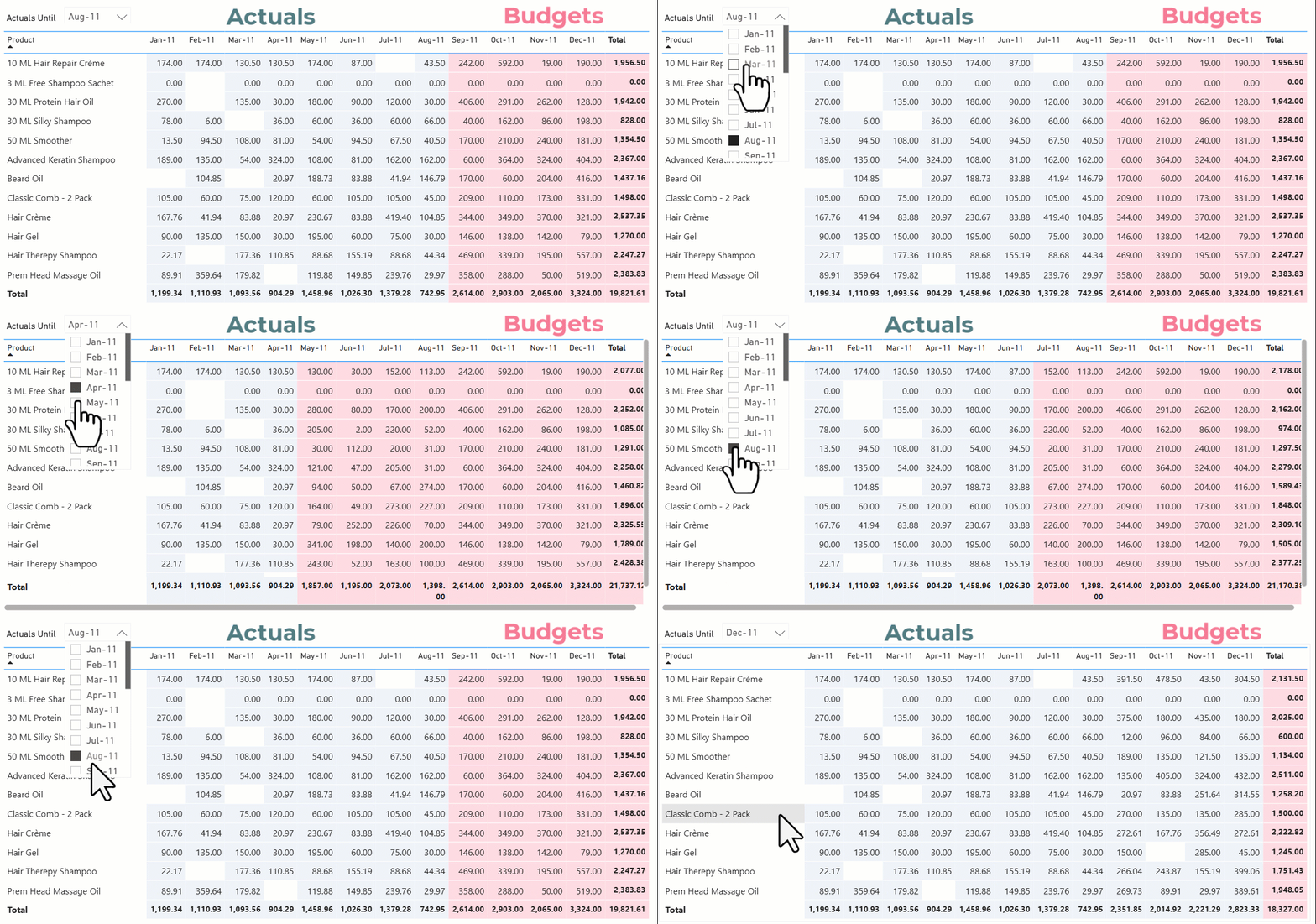
doing? In this week's video, I walk through how to build an Actual vs Rolling Budget setup in Power BI, where part of the year shows actuals and the remaining months automatically switch to budget. I’ve broken the whole thing into four clear stages so you can follow the logic without getting lost -
By the end, you’ll be able to build rolling actual vs budget reports that update smoothly as the month changes and still stay readable for the end user.
LIVE Power BI Foundations Workshop This is a 60–90 minute live, hands-on workshop for people who already know the basics of Power BI but want to move beyond visuals. In this session I'll talk about -
If you’re ready to step past the basics and start thinking like someone who builds Power BI solutions for real businesses, this session will be worth your time.
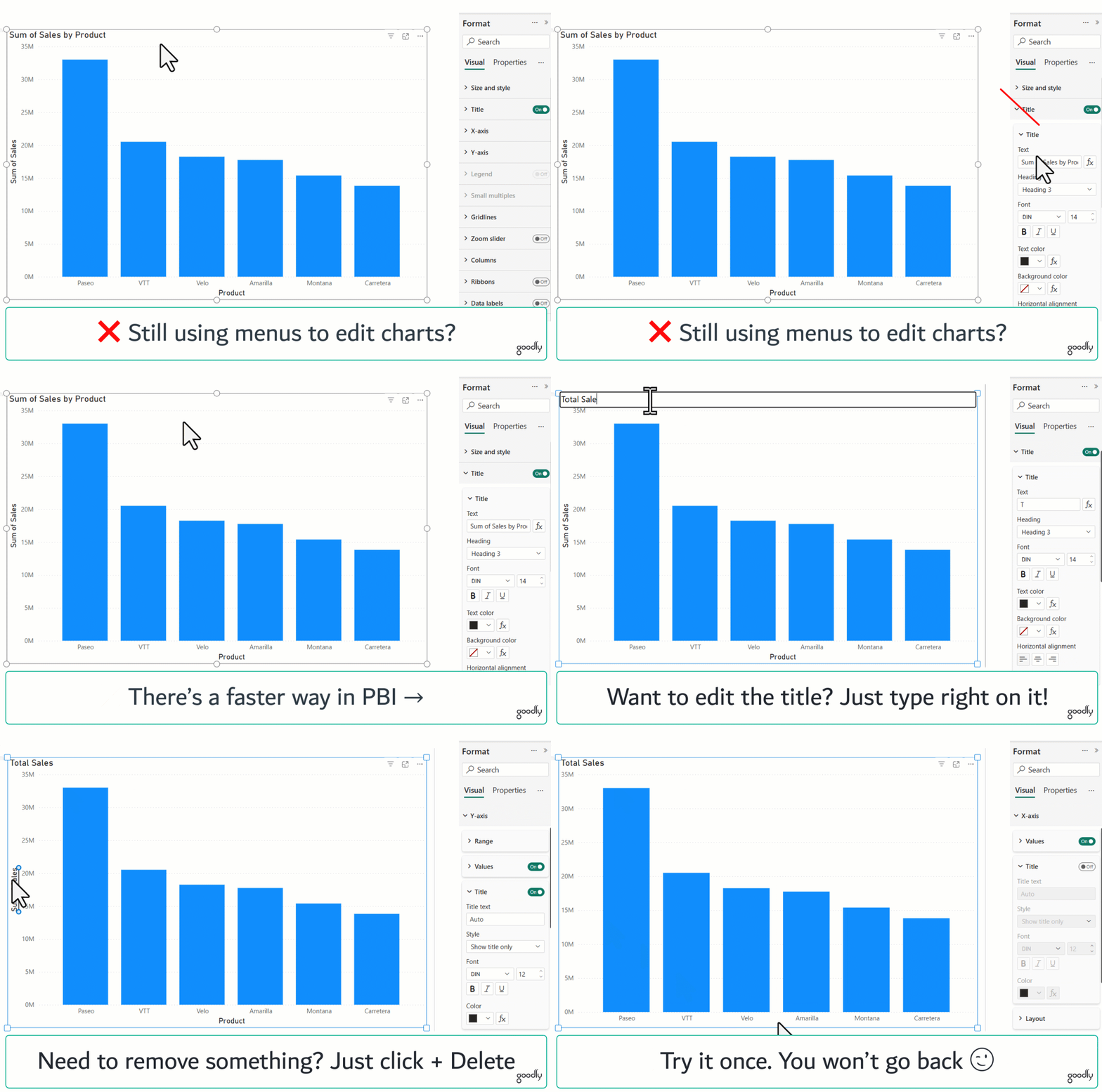
A faster way to format visuals in PBI Instead of clicking through menus to format visuals, you can use On-Object Interaction. Just click the visual and edit it right there. No digging around. No side panels. It feels much more natural.
Enable it from: File → Options → Preview features → On-Object Interaction.
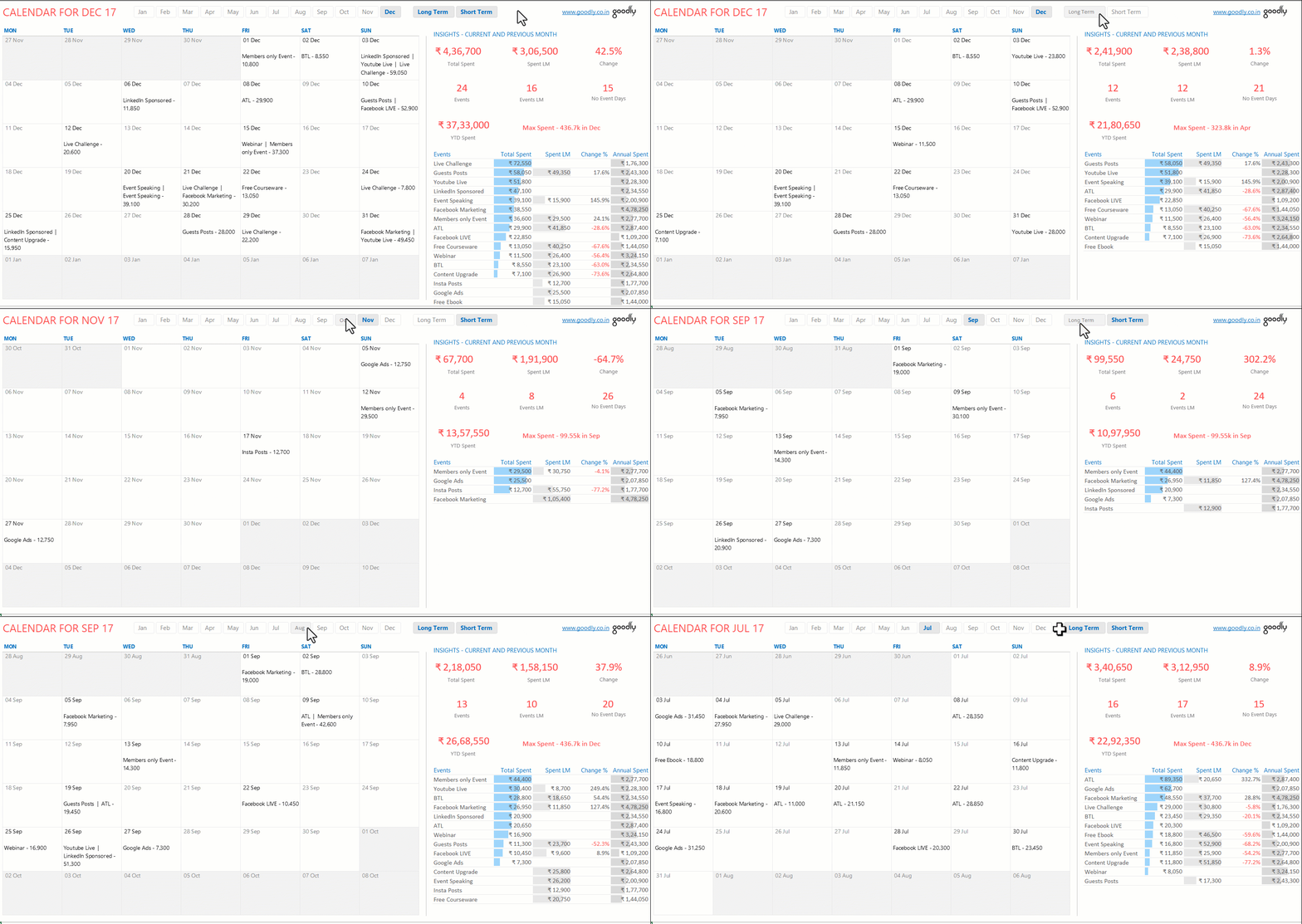
A Calendar View Built in Excel (Yes, Excel)
I needed a clearer way to
track date-based work, not another long list. Pick a month, see all tasks laid out by day, spot empty dates instantly, and track spend and activity on the side. Designed to make date-based tasks and spending easy to track.
While returning from Abu Dhabi last week, I wrapped this Memoire from Trevor Noah. His book is just as hilarious and entertaining as Trevor is on the stage.
Airports and flights are the best places to get work done. In the past, some of the hardest problems that I couldn't solve for weeks, I have torn them apart in a 2-hour flight. There is something serene about no internet and a cup of great coffee. |