|
New on Substack: Publication design settings, recipe embeds, and live video scheduling on Android and desktop
Design your space, publish richer posts, and boost turnout for your live video
|

| |||||||||||||||


Today, we’re rolling out a set of updates designed to give publishers more control over how their work appears and reaches their subscribers, from new formatting options for publications and recipes to scheduling livestreams on Android and desktop.
Publication design settings
We’ve made a number of updates to the theme editor that make it easier than ever to shape the experience subscribers have when they land on your publication’s homepage.
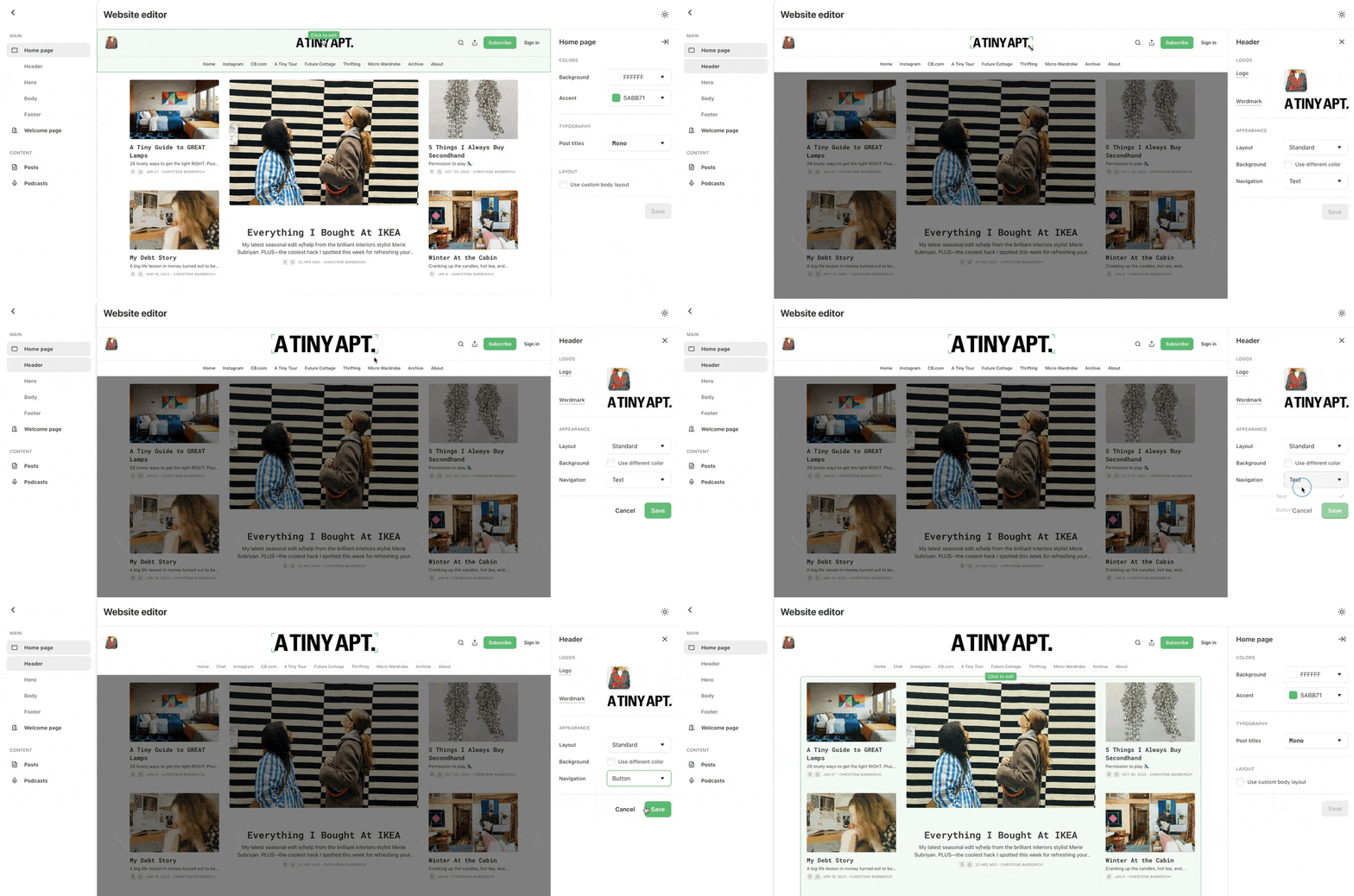
Here’s what’s new:
Custom header and footer: Resize your wordmark and adjust its placement.
Faster homepage editing: Click any section in the homepage preview to adjust its settings directly. You can also drag and drop sidebar modules to reorder them.
Welcome page colors: Set a background color for your welcome page independent of your main homepage.
Undo after saving: Made a change you didn’t mean to? Undo appears right after you save.
You’ll find these settings in the same place as before: Settings → Website → Theme.
Learn more about customizing your publication in our Help Center.
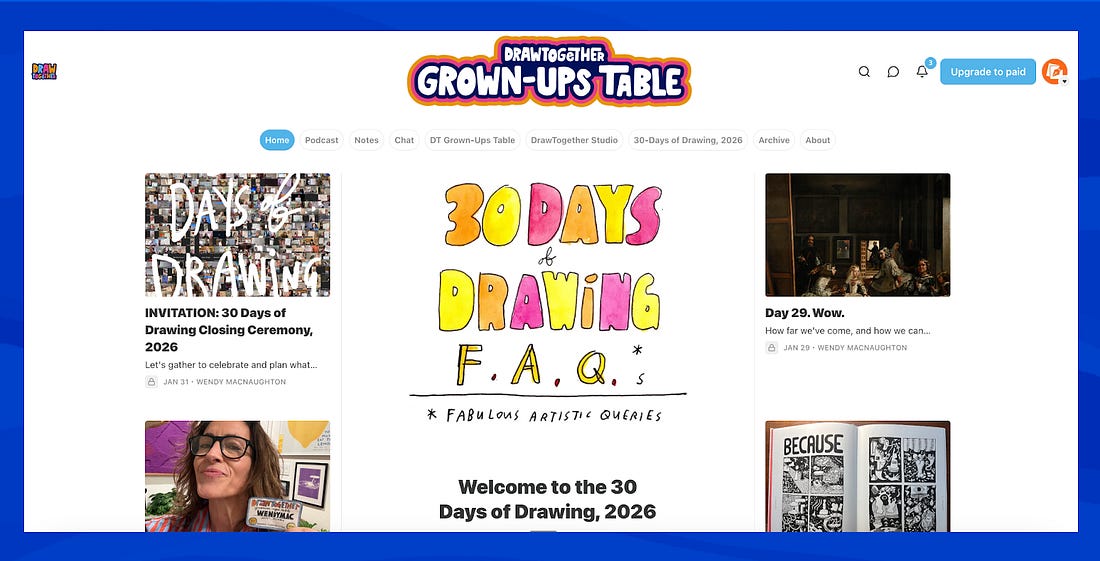
Wendy MacNaughton, the author of DrawTogether, used these updates to create a homepage that’s both beautiful and easy to navigate.
 |
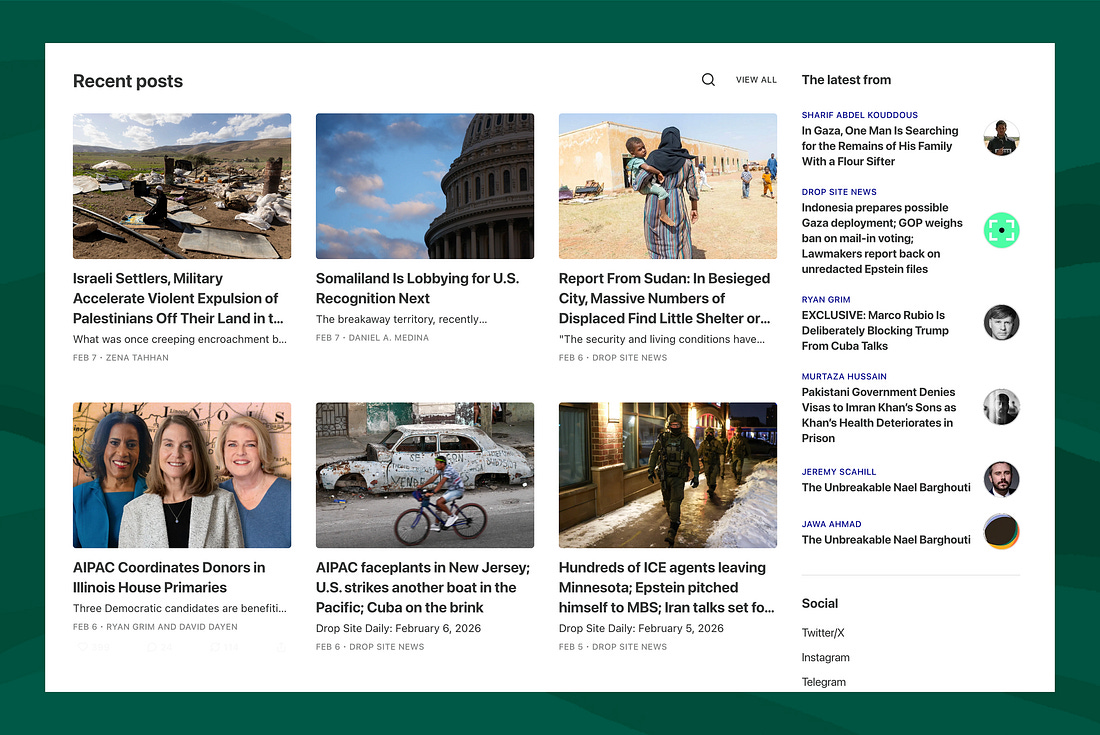
Drop Site News uses the custom layouts to add social links and highlight work from their contributors.
 |
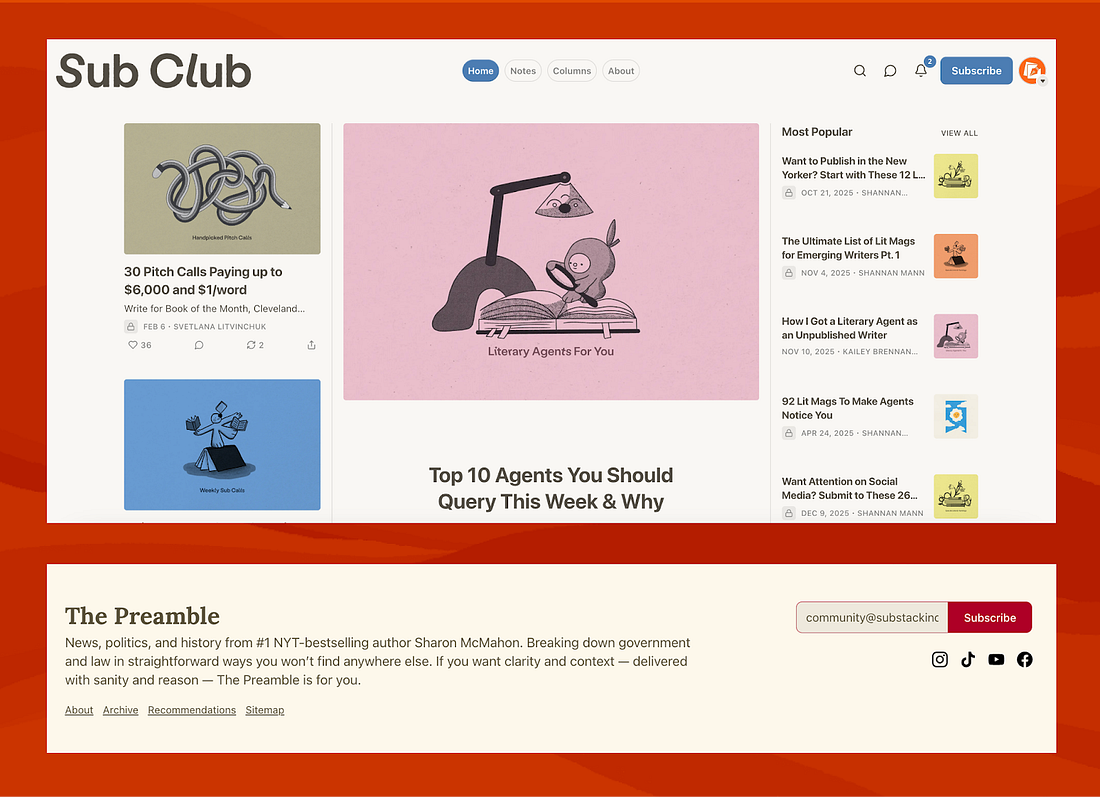
For more ideas, take a look at Sub Club’s distinctive logo placement and The Preamble’s expert use of the footer.
 |
Recipe embeds (beta)
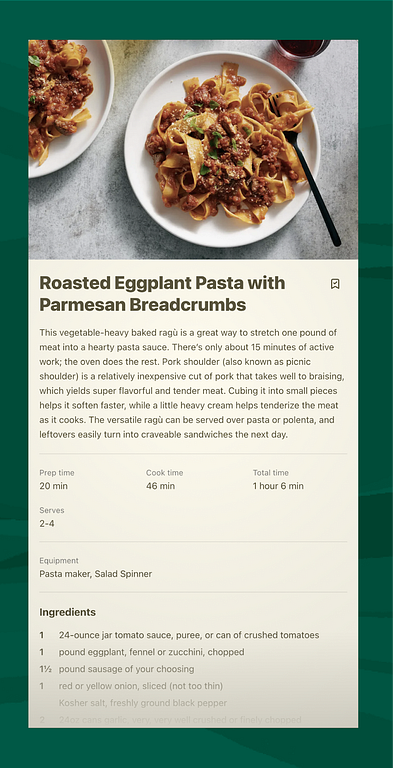
Recipe embeds are now available in beta on Substack, offering a clean, structured way to publish recipes inside a post.
If you’ve ever shared a recipe as plain text, you know it’s not ideal: ingredients and steps can get buried, readers have to scroll back and forth while cooking, and recipes aren’t always surfaced well by search engines. Recipe embeds solve these issues by giving recipes a dedicated format that’s easy to follow, save for later, and built for discovery.
 |
To add a recipe embed to an upcoming post, open the post editor and choose More → Recipe.
Recipe embeds can include:
An image