|  | | | Ashampoo® Snap Pro 26 | You save 70% | Download version
Release date: April 8, 2026
Operating System: Windows® 11 (x64/ARM), Windows® 10 (x64/ARM) | | Perfect screenshots in two clicks | | With Ashampoo Snap Pro 26, creating screenshots and videos is easier than ever! Everything that appears on your screen can be captured in seconds. In the image editor, you can edit, annotate, save, and share your captures instantly. New: With Live Edit, you can even mark content directly on your Desktop before the screenshot is taken. Snap Pro 26 also enhances your screenshots with graphical elements such as automatic numbering, comments, stickers, and more. Whether you're working from home, explaining something quickly, or creating detailed tutorials, Snap Pro 26 lets you get the job done faster. | | Highlights |  | The high-end software solution for screenshots and video captures | | Multi-purpose capture tool for rectangular areas, entire and scrollable websites | | Share information more quickly and save time | | Live Edit: Comment and annotate screen contents directly on your desktop | | Fast two-click screenshots | | Optical character recognition (OCR) for your screenshots | | Add texts and comments | | Capture multiple screens as a single screenshot | | Add watermarks | | 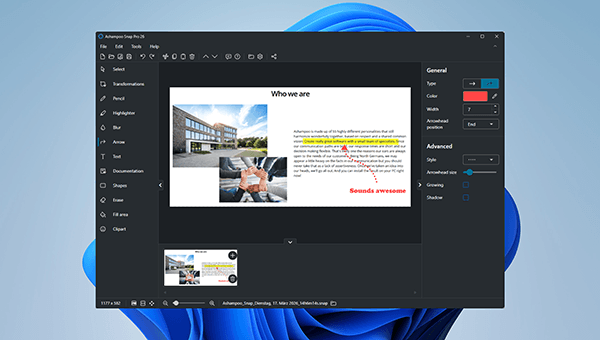 | | Perfect screenshots | | Capturing screen contents with Ashampoo Snap is incredibly easy. Whether you need to capture the entire desktop, scrolling web pages, or just small sections, it's all just a click away. You can capture specific desktop areas, take delayed screenshots, or create pixel-perfect images with precise dimensions. Ashampoo Snap is the ultimate Windows screenshot tool, offering all the features you need while remaining completely intuitive. The quick-access toolbar ensures a seamless workflow by providing instant access to the most essential functions. | 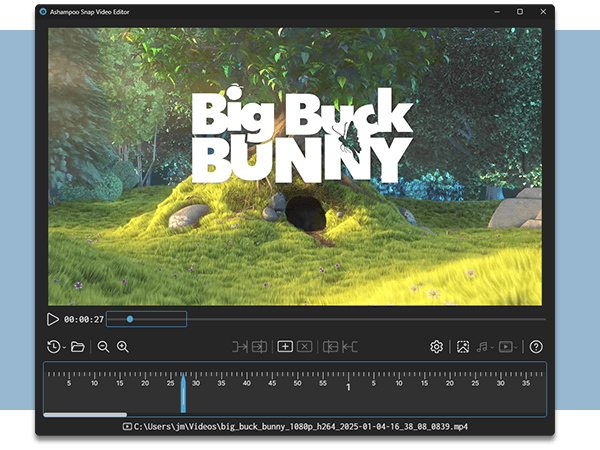 | | Create videos for any purpose | | Ashampoo Snap makes it easy to create instructional videos and documentation. You can easily add visual annotations or voice narration in real-time during recording. The advanced video editor combines intuitive handling with powerful features, allowing you to trim recordings with just a few clicks. Set multiple cut markers simultaneously, export specific sections, or save your videos as animated GIFs. Additionally, you can efficiently convert videos to MP4 format, ensuring optimal compatibility across all devices. |  | | Live Edit–Mark directly on your desktop | | Live Edit places a transparent layer like a sheet of glass over your screen. On this layer, you can draw arrows, add text, or highlight areas directly on top of the content you want to explain. Unlike traditional screenshot tools, your screen does not freeze during this process. You can switch back to your Desktop at any time to move windows, adjust content, or let a video continue playing, and then continue working on your annotations. This way, the final screenshot evolves step by step without having to restart the process. | 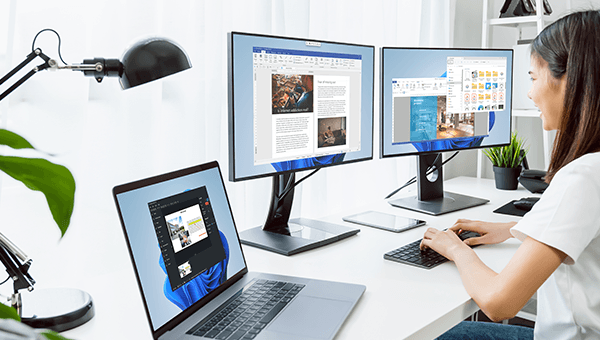 | | Perfect for different screen resolutions and multi-display environments | | Ashampoo Snap works seamlessly across multiple displays and supports all common resolutions and DPI settings, even in mixed HD/4K environments. Images of any resolution are captured in stunning clarity and can be edited immediately. Experience an excellent user interface, perfect for both novices and experts! The improved scroll-capture feature reliably records intricate web pages or lengthy documents. Additionally, the upgraded video recording technology, complete with advanced settings, offers you maximum flexibility. |  | | Capture desktop contents and save videos or images from the internet | | The internet is brimming with intriguing, humorous, and educational images, text, and videos. With Ashampoo Snap, you can effortlessly save your favorite content! Capture any image, record videos, and edit screenshots or recordings instantly. Snap captures anything visible on your screen or audible through your sound card. With convenient drag-and-drop support, managing and editing your recordings has never been easier. The optimized sharing feature allows for lightning-fast uploads, enabling you to share your content with others instantly! |  | | | Ashampoo® Snap Pro 26 | You save 70% | Download version
Release date: April 8, 2026
Operating System: Windows® 11 (x64/ARM), Windows® 10 (x64/ARM) | |