Discover Meshy's game-changing features and make the most use of them today!
|
|
Hi grylogiczne.pl,
We hope you've been enjoying your journey with Meshy so far! Remember, you have a 50% discount on your first month of the Pro plan to explore premium features. Dive in and discover what's possible with your subscription!
|
|
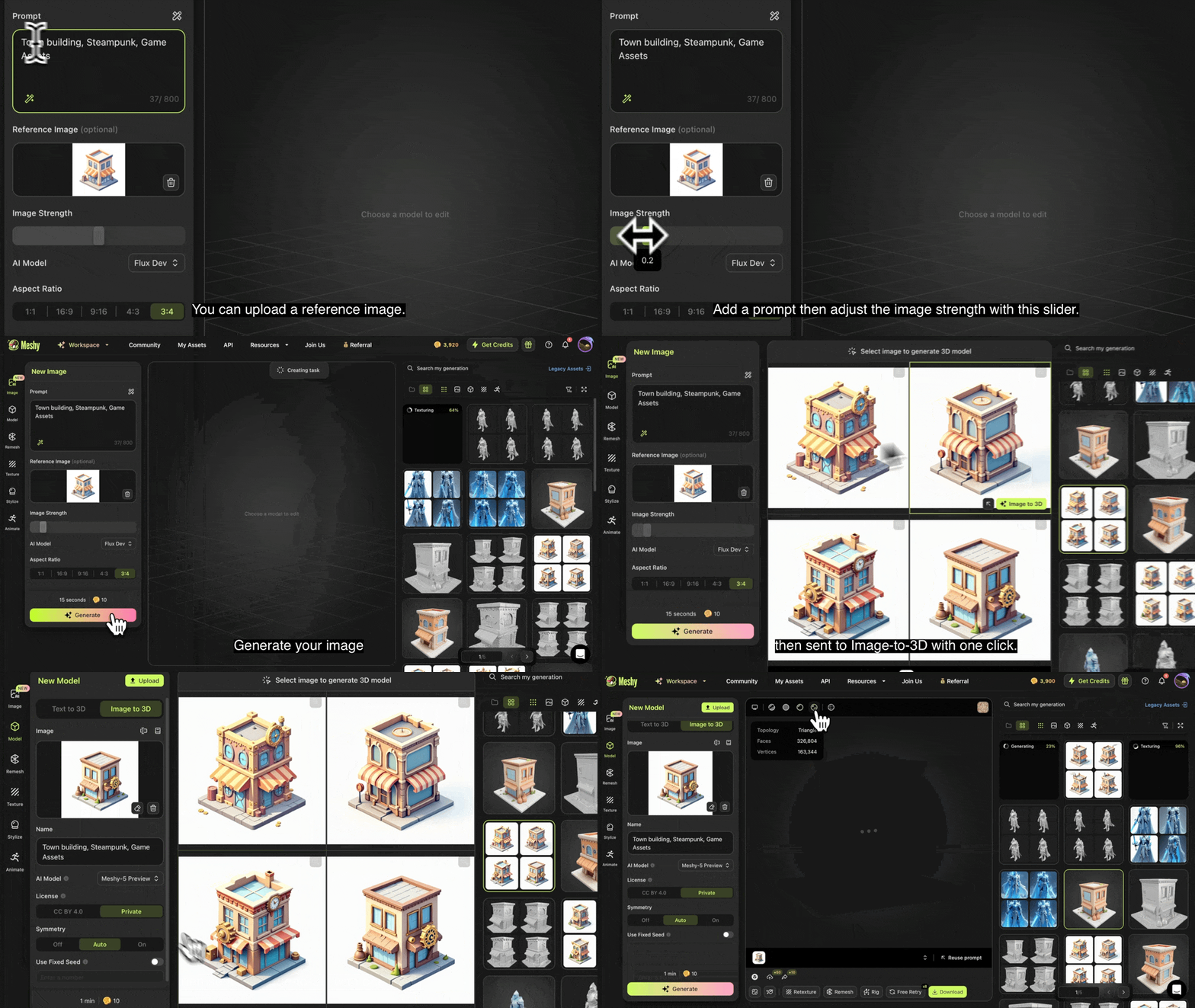
Text to Image to 3D
Meshy lets you generate 2D concept art from text (or text + image) and convert it to 3D in one click. We've also improved 3D asset categorization for easier browsing and management.
|
|
|
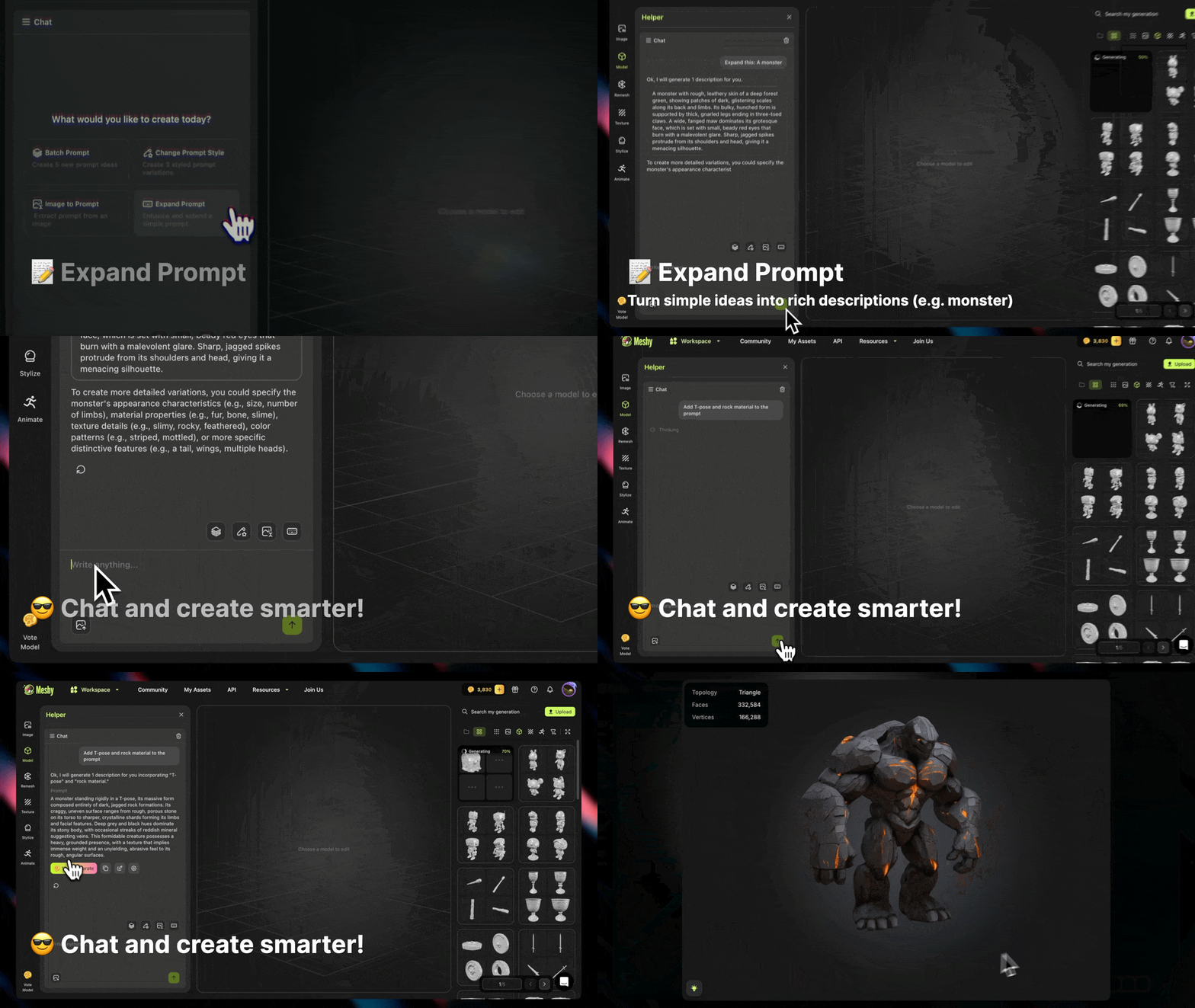
AI Prompt Helper
Stuck on prompts? Describe your idea simply, and prompt helper generates detailed prompts, style variations, or even extracts prompts from images. Need refinements? Chat with your AI assistant in real time!
|
|
|
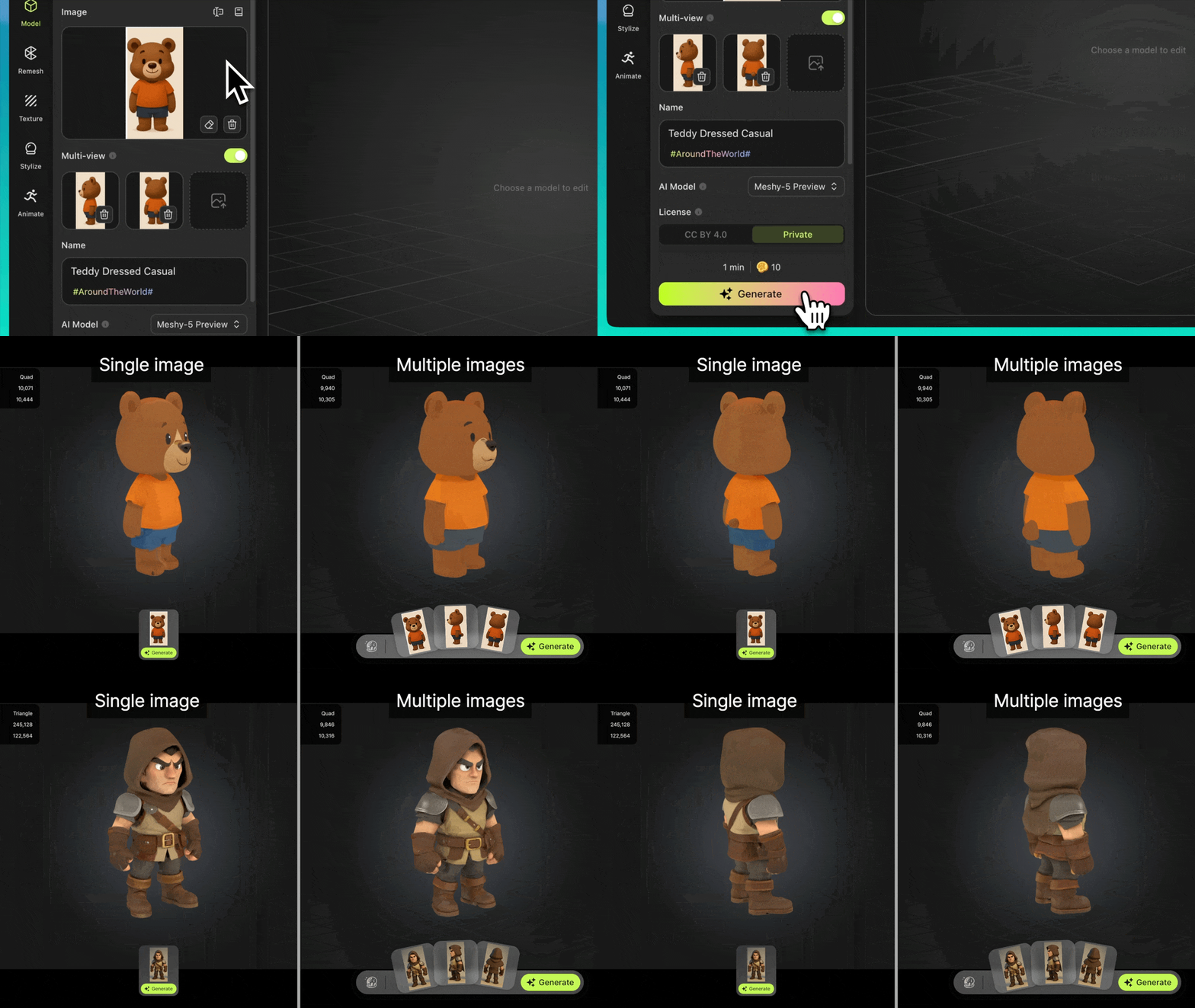
Multi-Image to 3D
Whether you're capturing different angles or trying to keep key details on the back side, Meshy now use that extra context to deliver better results. More improvements coming soon!
|
|
|
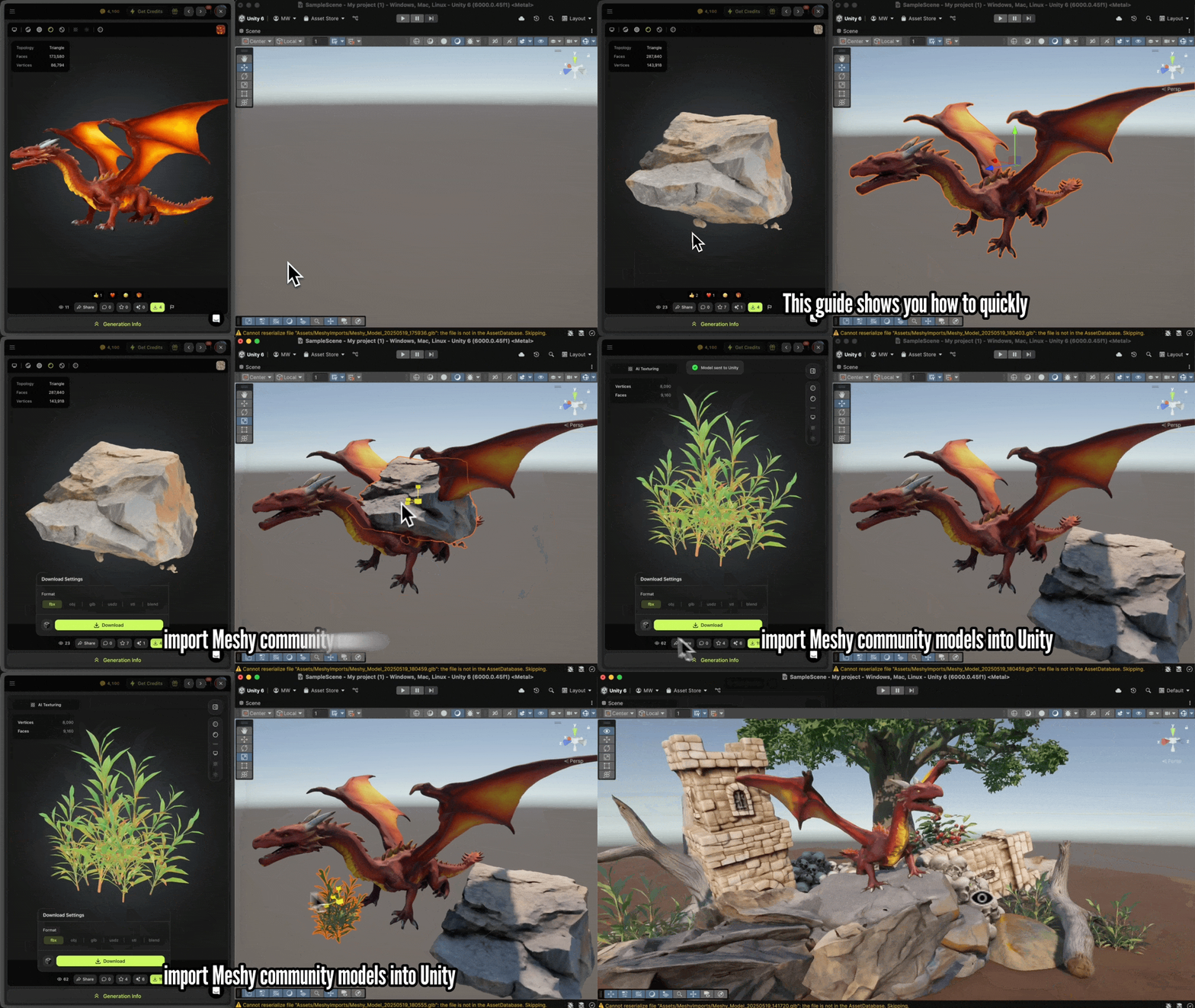
Plugins for Unity/Godot/Blender
Whether you're capturing different angles or trying to keep key details on the back side, Meshy now use that extra context to deliver better results. More improvements coming soon!
|
|
|
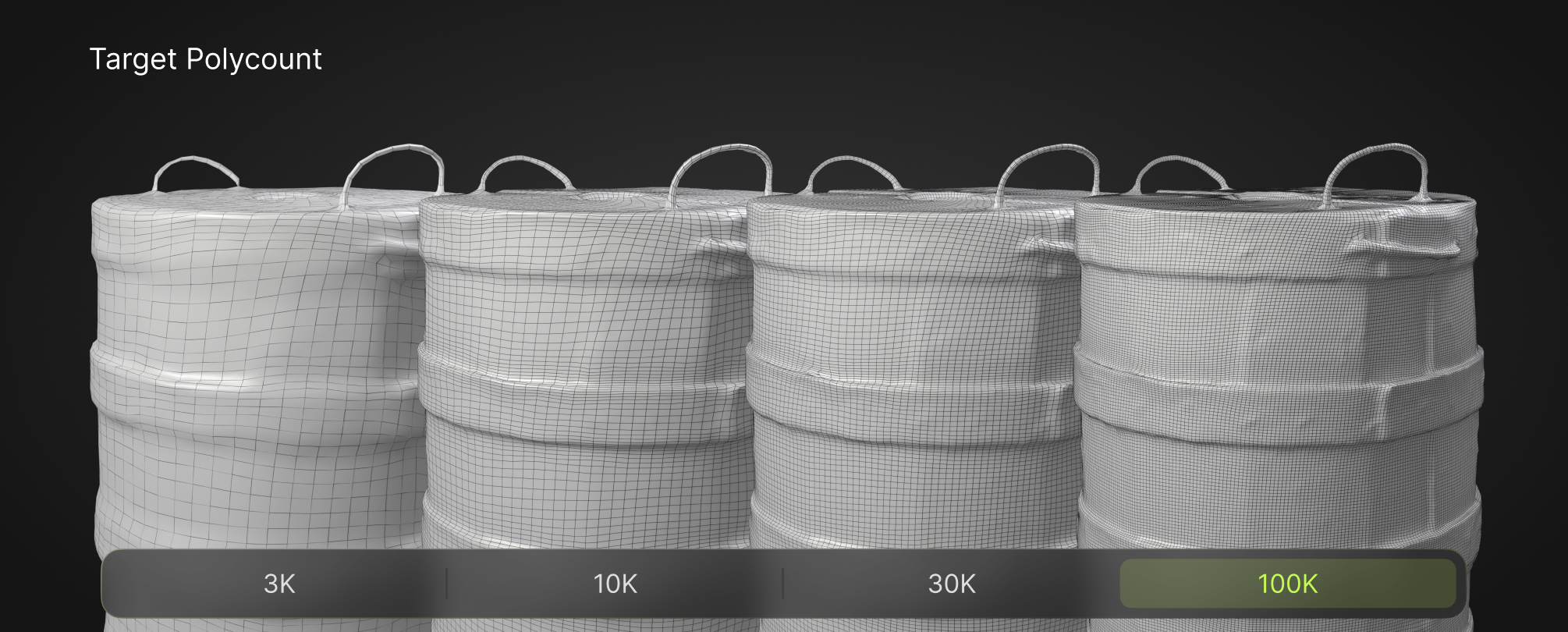
Target Polycount
Automatically optimize polycount for ultra-detailed models (up to 100K polygons). Meshy offers two ways to set the target polycount: adaptive and fixed.
- Adaptive: Automatically determines polycount based on your model's structure.
- Fixed: Uses a constant polycount, regardless of structure.
The higher the polygon count in a 3D model, the richer the details. Adaptive mode and polycounts of 3K and 100K are available exclusively for premium creators.
|
|
|
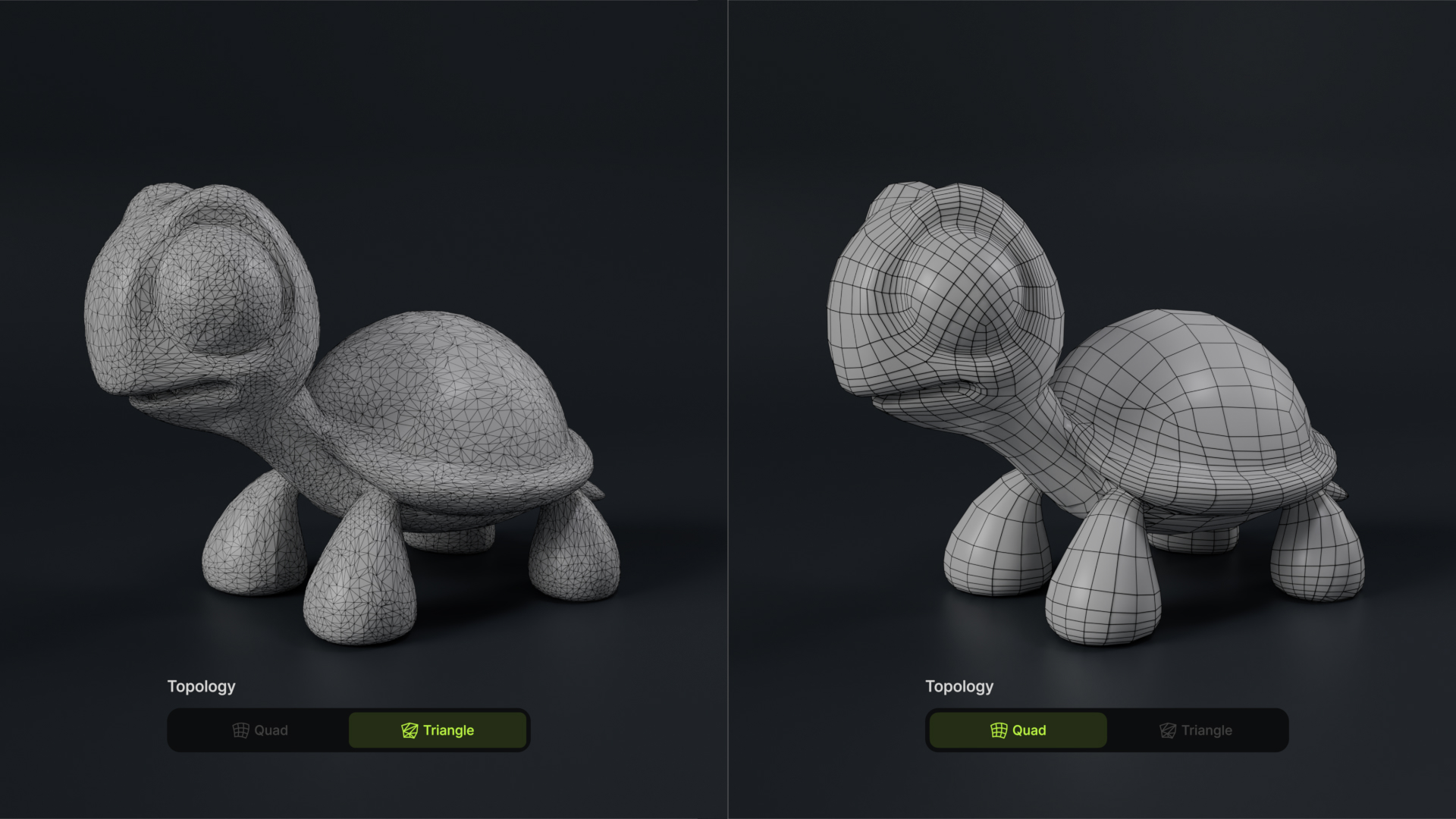
Quad and Triangle Topology
Choose between quad meshes for easy editing or triangle meshes for maximum detail in game engines. Meshy supports both of them:
- Quad: Generates evenly-distributed quad faces, ideal for further editing. Produces less detail at a given polycount.
- Triangle: Generates optimized triangle faces for game engines. Maximizes detail at a given polycount but is harder to edit.
|
|
|
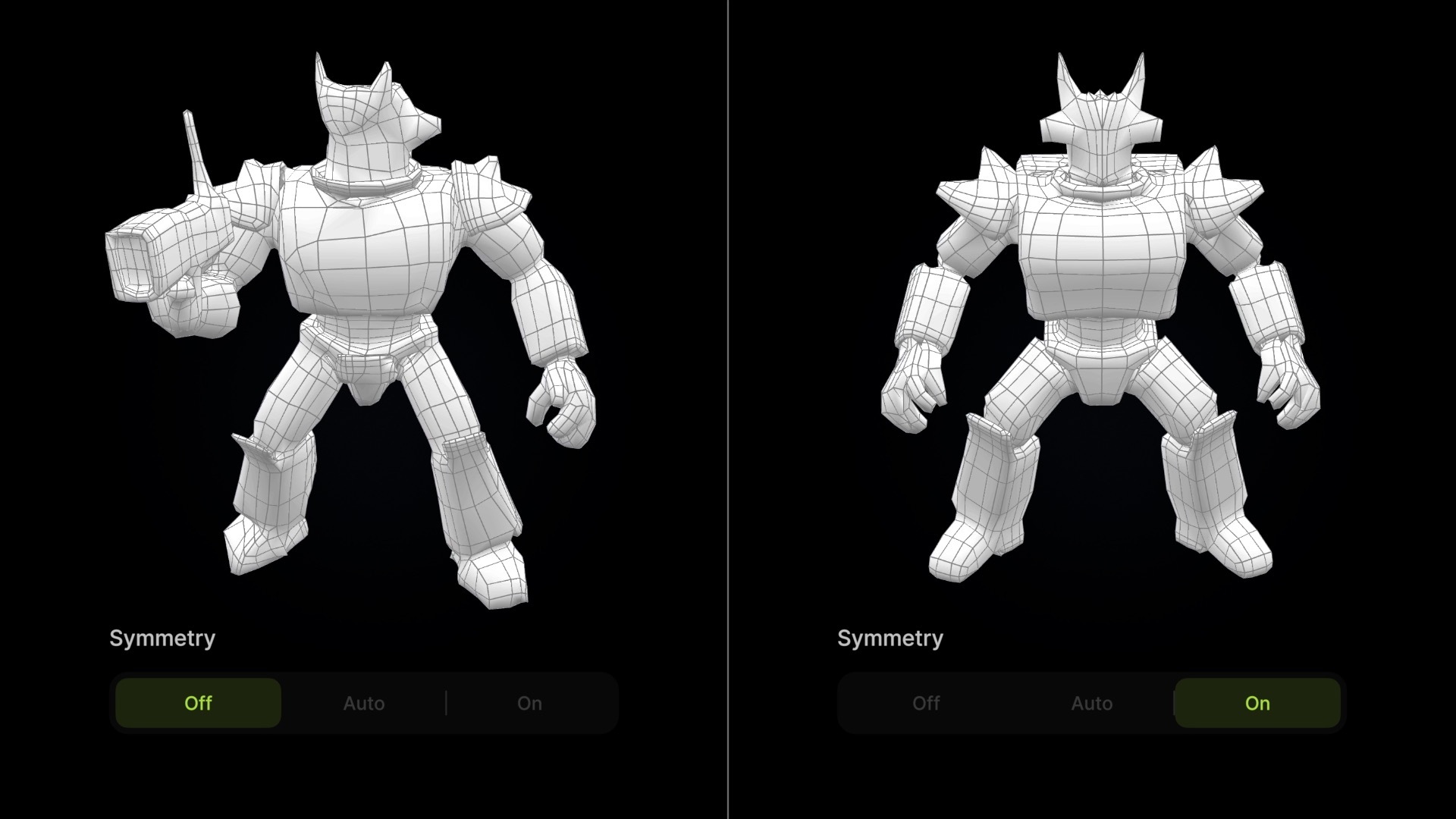
Symmetry
Meshy supports model symmetry. Simply turn symmetry on to generate symmetrical models.
|
|
|
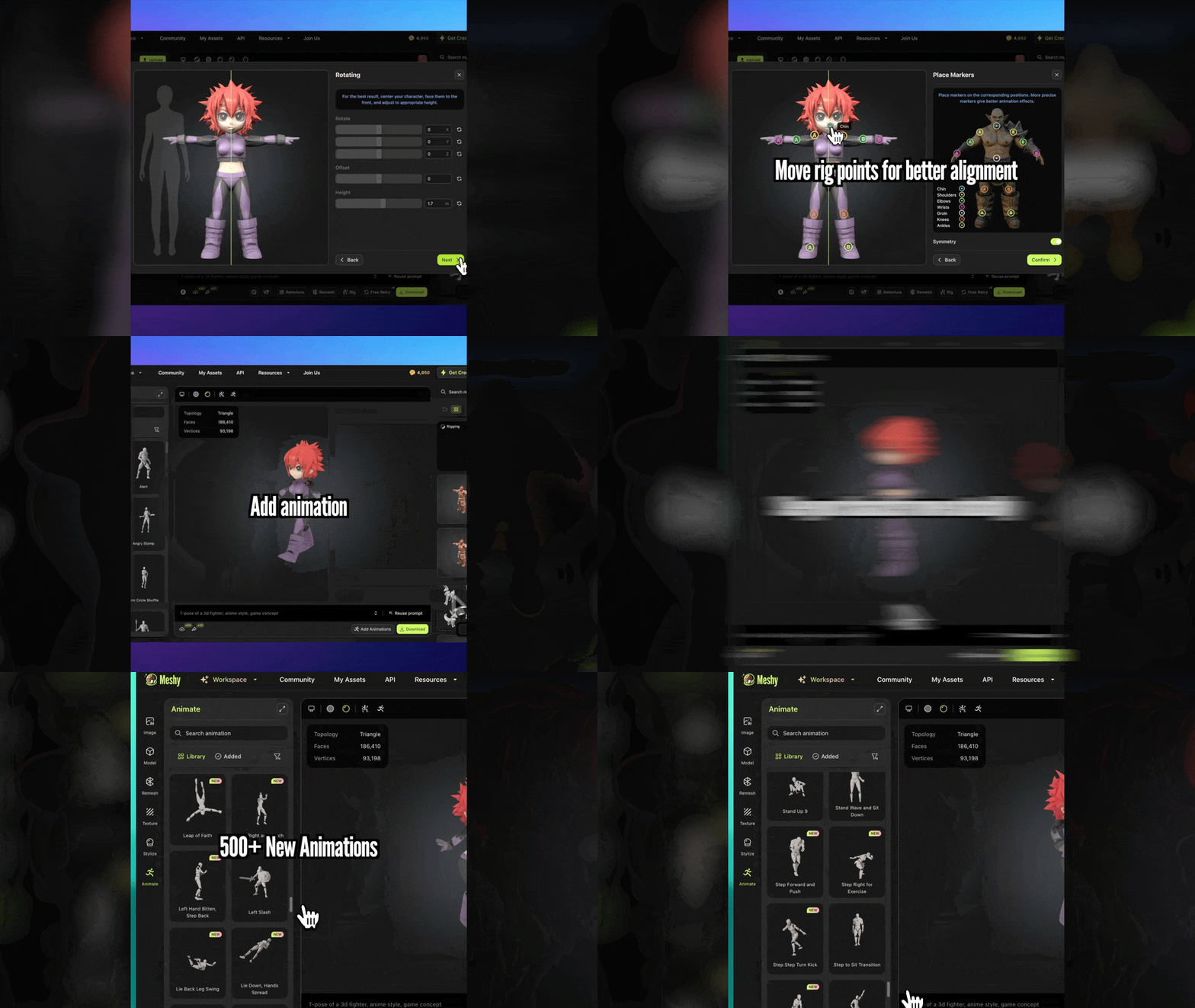
Fast Rigging & More Animation
Meshy auto-detects joints and creates optimized rigs in seconds. Plus, we've added 500+ new animation presets - from casual movements to dynamic actions.
|
|
|
API
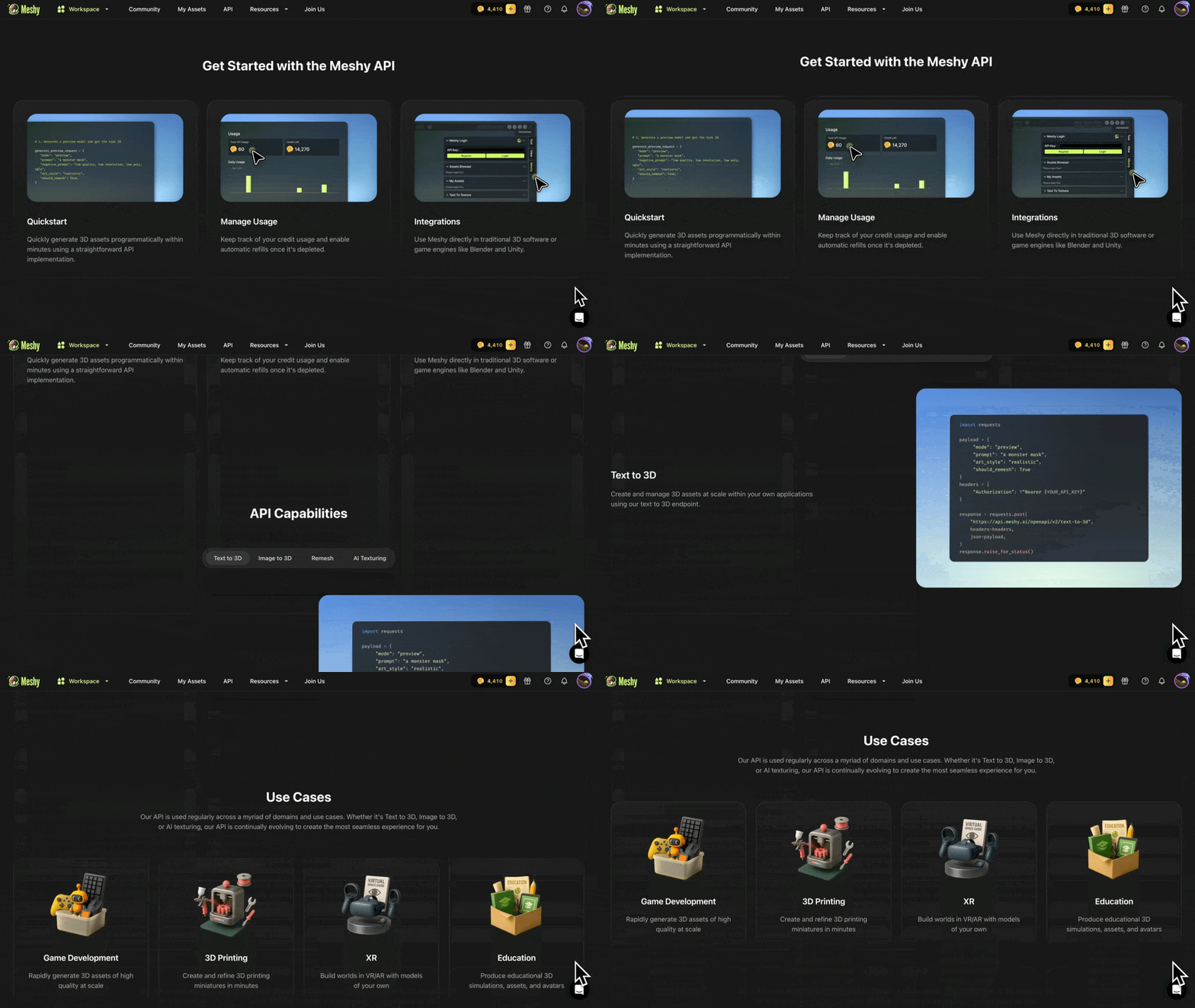
We have exciting API features including support for Text to 3D, Image to 3D, Remesh, and Text to Texture. Additionally, we've introduced webhook support, a Multi-Image to 3D API, and new endpoints for auto-rigging, animations, content moderation, and deletions.
|
|
|
|
Don't miss this chance to unlock these premium features and continue creating without limits. Upgrade before your new user special offer ends to keep exploring everything Meshy has to offer.
|
|
Get 50% Off
|
|
We can't wait to see what you create next! Happy generating!
The Meshy Team
|