Hi , most people only use half of this feature

Hi ,

How are you doing?

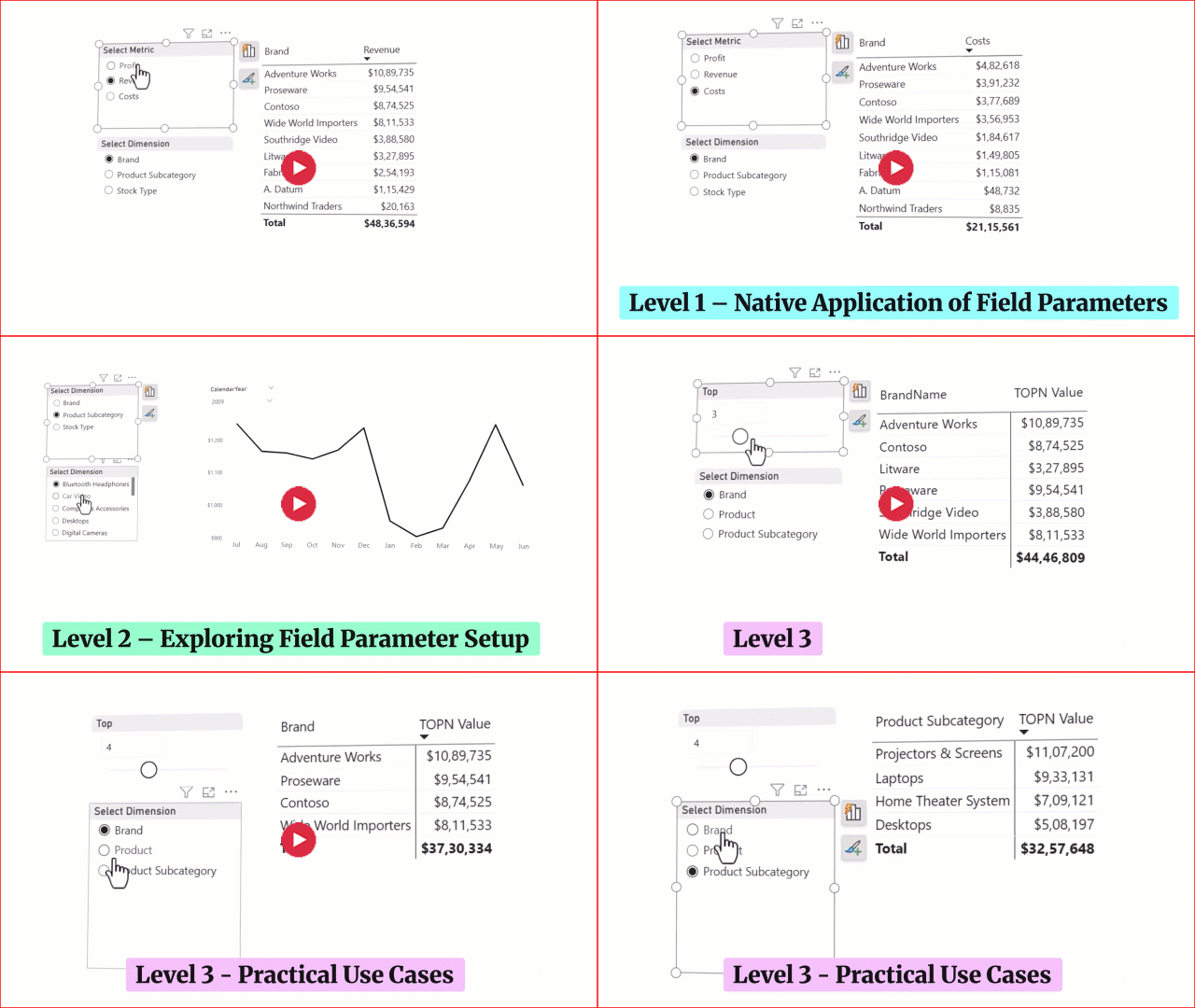
One of the most underrated features in Power BI is Field Parameters.

Most people use them only for simple switching, but honestly, you can do some really cool things with them.

In this week’s video, I explain Field Parameters in 3 levels.

At Level 1,
 I show the basic use case, how to let the user switch between measures or columns using a slicer.

At Level 2
, we go a step further and start tweaking the native setup a bit so you can get more flexible behaviour out of it.

And at Level 3,
things get really interesting. I show how you can combine Field Parameters with DAX and a few smart tricks to build much more advanced, polished outputs for your report users.


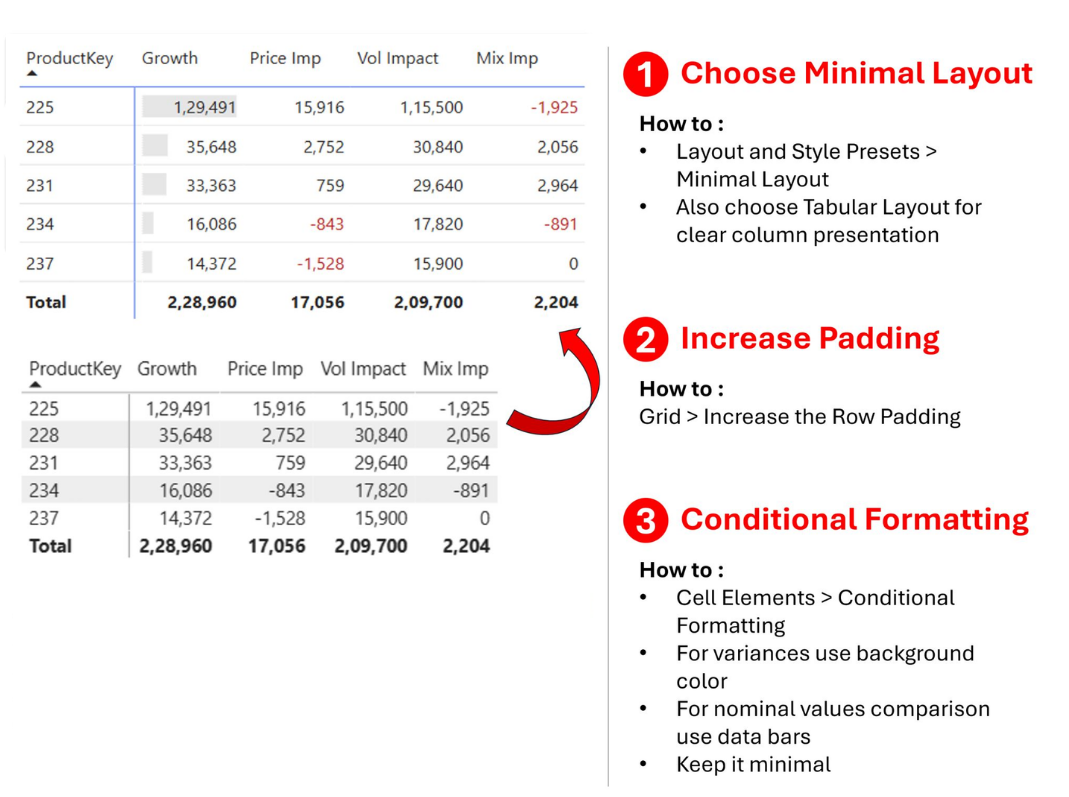
3 Quick Fixes to Make Your Tables Look Better

One of the most used visuals is Tables.

You can build fancy charts… but sooner or later someone will say, “Just show me the table.”

The problem is, most tables look messy. 
Here are 3 quick fixes to clean them up and make them actually readable.


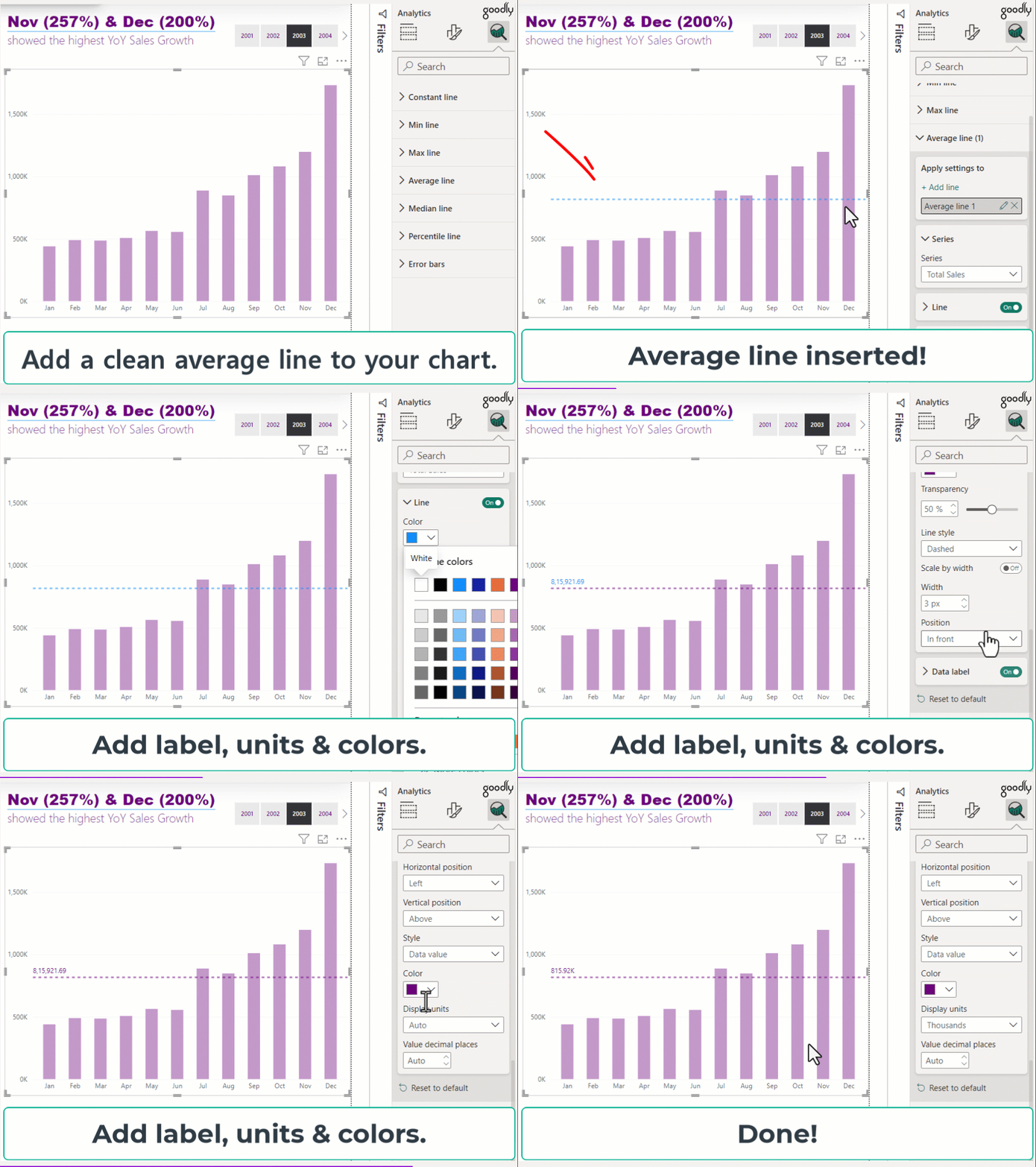
Add More Meaning to Your Charts (In 2 Steps)

Quick tip - add an average line to your chart.

It instantly gives context to your numbers and makes it easier to spot what’s above or below average.

Takes just 2 clicks… and you can format it to stand out.


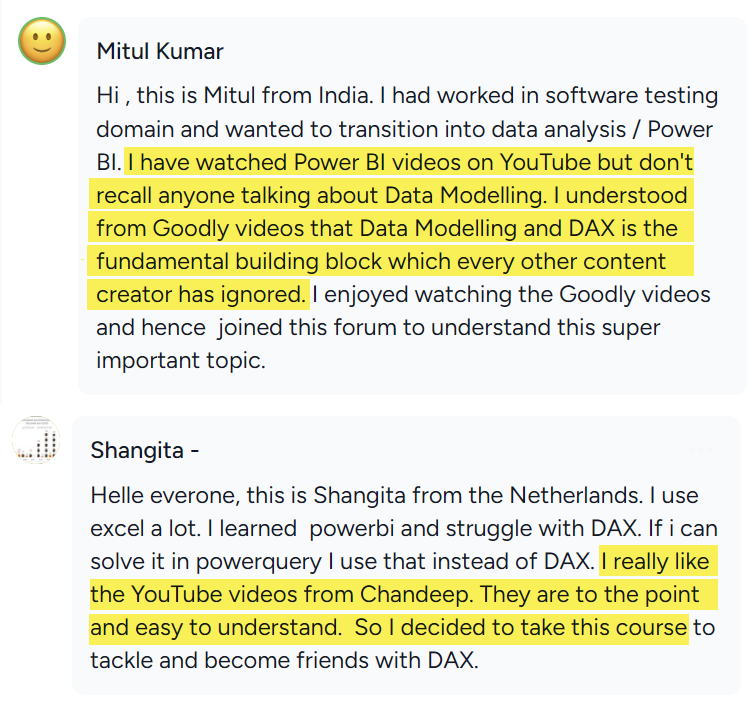
Most people are taught Power BI as if it’s mainly a visualisation tool.

It isn’t.

Visuals are only the final layer. The real strength of Power BI is in data modelling and DAX. That’s the part many tutorials skip, but that’s also the part that matters most when you start solving real business problems.

Mitul said this really well, and I agree with him completely.

If you want to build advanced calculations, bring together data from different sources, and create reports that actually work in real life, strong modelling skills make all the difference. 

That’s why I give modelling so much importance in my courses.

If that’s the direction you want to take with your Power BI learning, I’d love to welcome you inside my Power BI community, Goodly Insider

You’ll get access to all my advanced courses, monthly Q&A sessions with me, and a community of 300+ learners who are all trying to get better at the same craft.


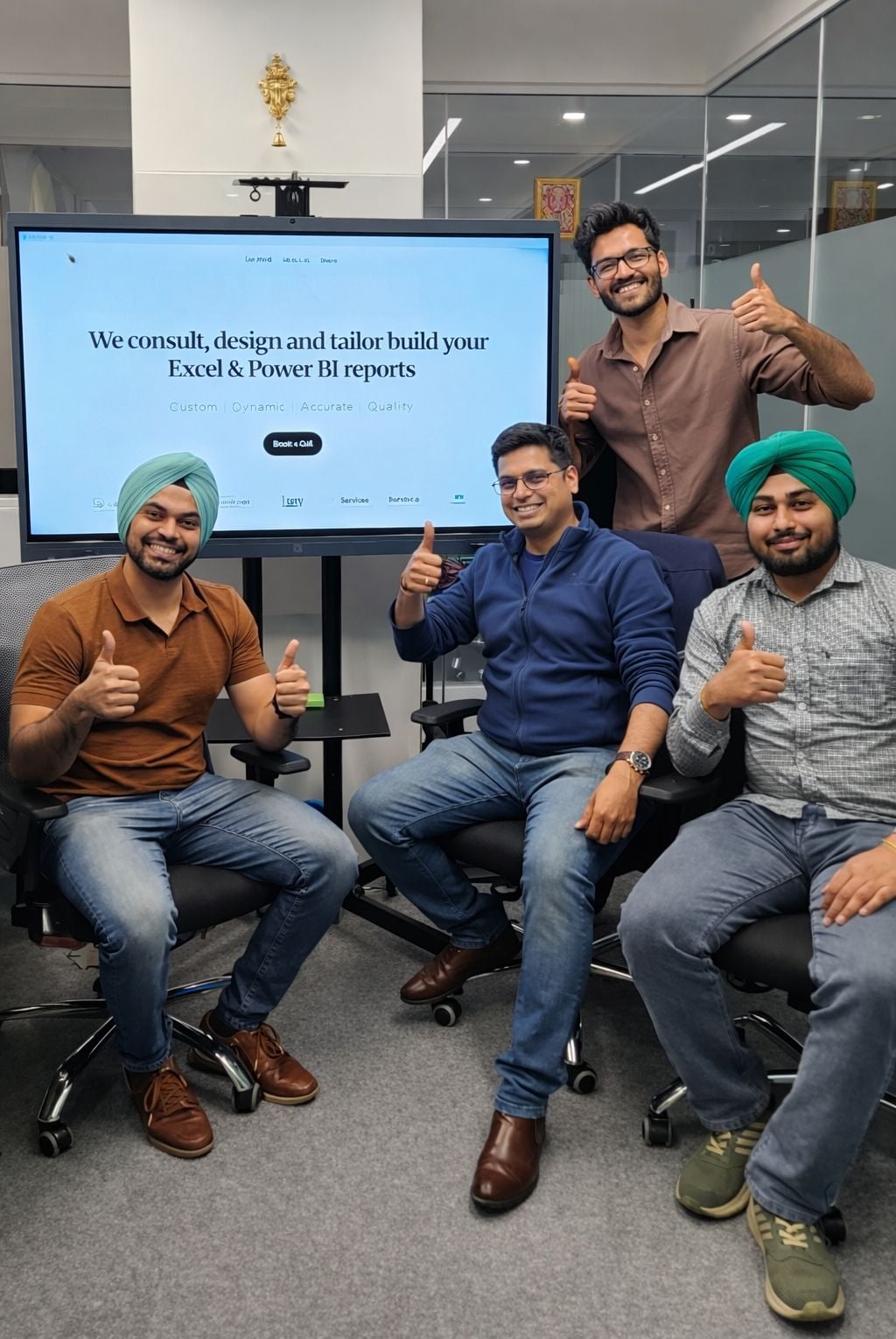
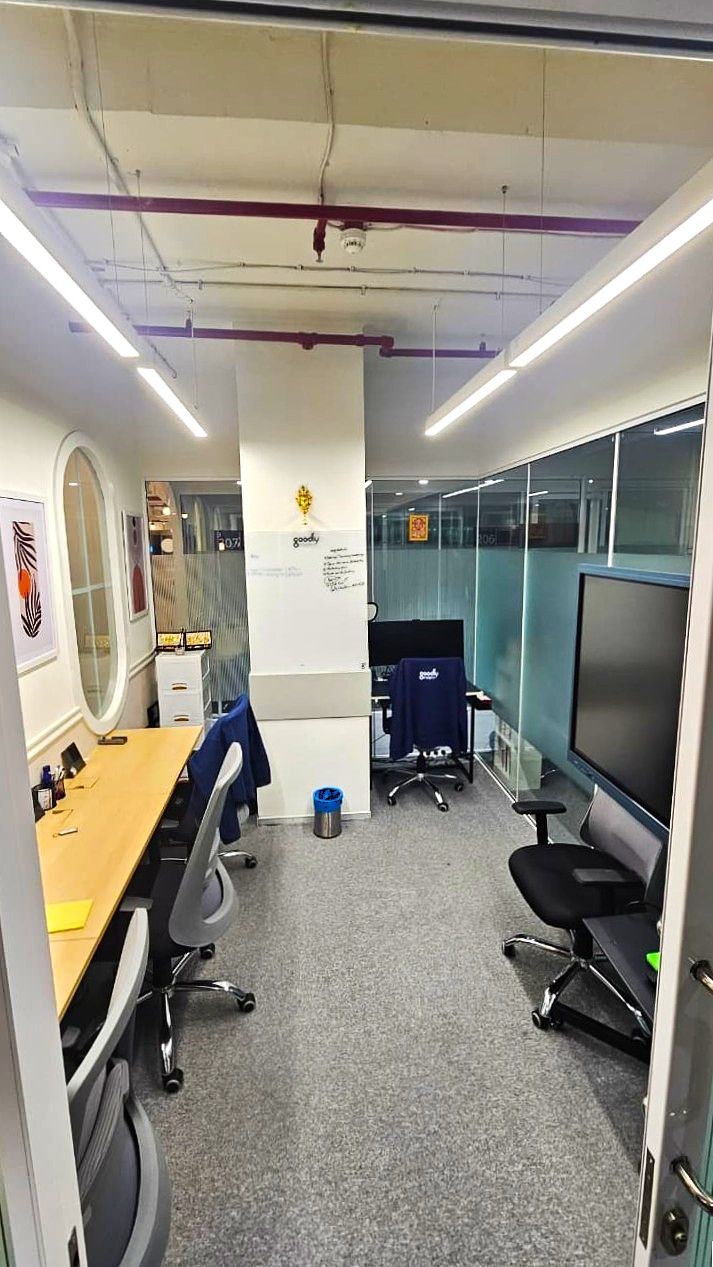
We finally set up our first office for Goodly Insights, our consulting company, in Hyderabad.

For the last 2 years, everything was remote. Calls, projects, discussions… all happening on screens.

Grateful for the team that made this happen and the work that led us here. 
Still early days… but good to see things taking shape.


I genuinely enjoyed this meetup in Hyderabad.
Good conversations, different perspectives, and just a nice way to connect beyond screens.
Thank you to everyone who came