
|
50 leads.
One prompt.
|
|
The #1 thing people ask TaskMagic to do is scrape leads. So today we want to show you the entire build for a Google Maps lead scraper in V2. Not a teaser — the whole thing. It fits in this email because it's one sentence.
Here's the build, start to finish, in under 3 minutes:
|
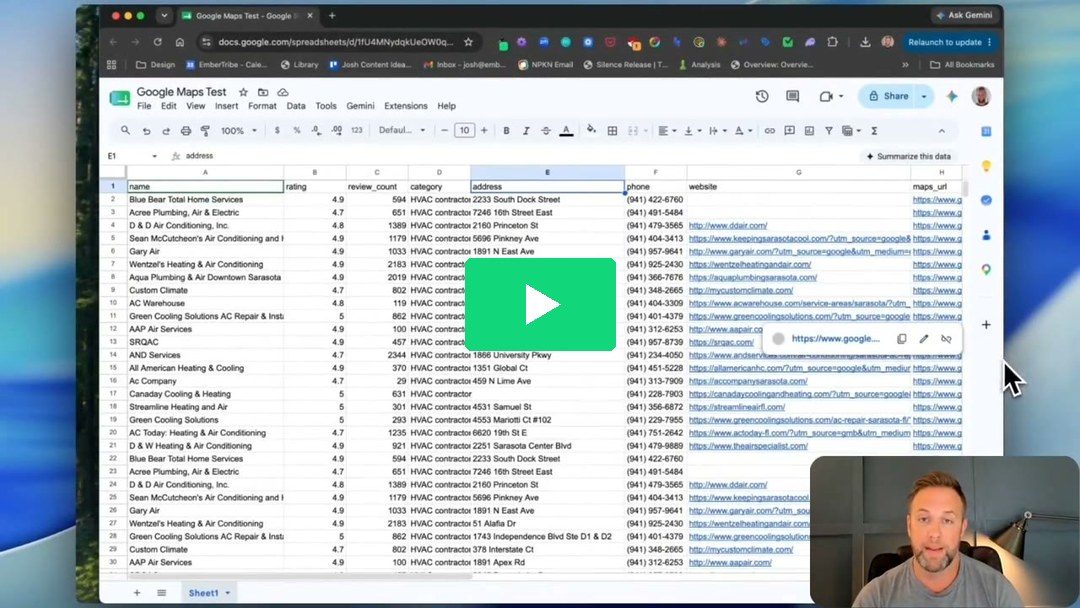
2:51 — one prompt in, 50 leads out
|
|
And here's the prompt itself. Swap in your niche and city:
|
|
Copy & paste this
“Go to Google Maps, search for {niche} in {city}, and scrape the top 50 results — business name, rating, review count, phone number, and website — into a Google Sheet, one lead per row.”
|
|
|
That's the whole build. No scraper. No code. No selectors. You type the sentence, V2 builds the automation and runs it, and a couple minutes later your sheet fills up — one clean row per lead.
We ran it for “HVAC companies in Sarasota, FL” — 50 rows of names, ratings, review counts, phone numbers, and websites. That's a call list a local agency would happily pay for, and it cost one prompt.
|
|
Turn it into a pipeline
Day 1 — Scrape. Run the prompt above. 50 leads in a sheet.
Day 2 — Enrich. Have TaskMagic visit each website and pull an email or contact page into a new column.
Day 3 — Reach out. Draft a personalized first line per lead, straight from the sheet.
|
|
|
Each of those steps is its own one-sentence prompt. That's the point of V2 — the describing is the building.
|
|
Open TaskMagic & paste the prompt →
|
|
Try it with your own niche and city, and reply with what you scraped — we read these, and the best ones we'll turn into templates for everyone.
— The TaskMagic Team
|
P.S. If you haven't opened TaskMagic since V2 shipped, this prompt is the fastest way to see what changed. Same account, same login — the builder just got a lot smarter.
|