Matomo Analytics, the trusted ethical web analytics platform. |
Matomo 5.13 makes reporting easier to scan and compare
Matomo 5.13 is now available. This release makes your key numbers easier to read at a glance, and gives you more control over who can do what in your account.
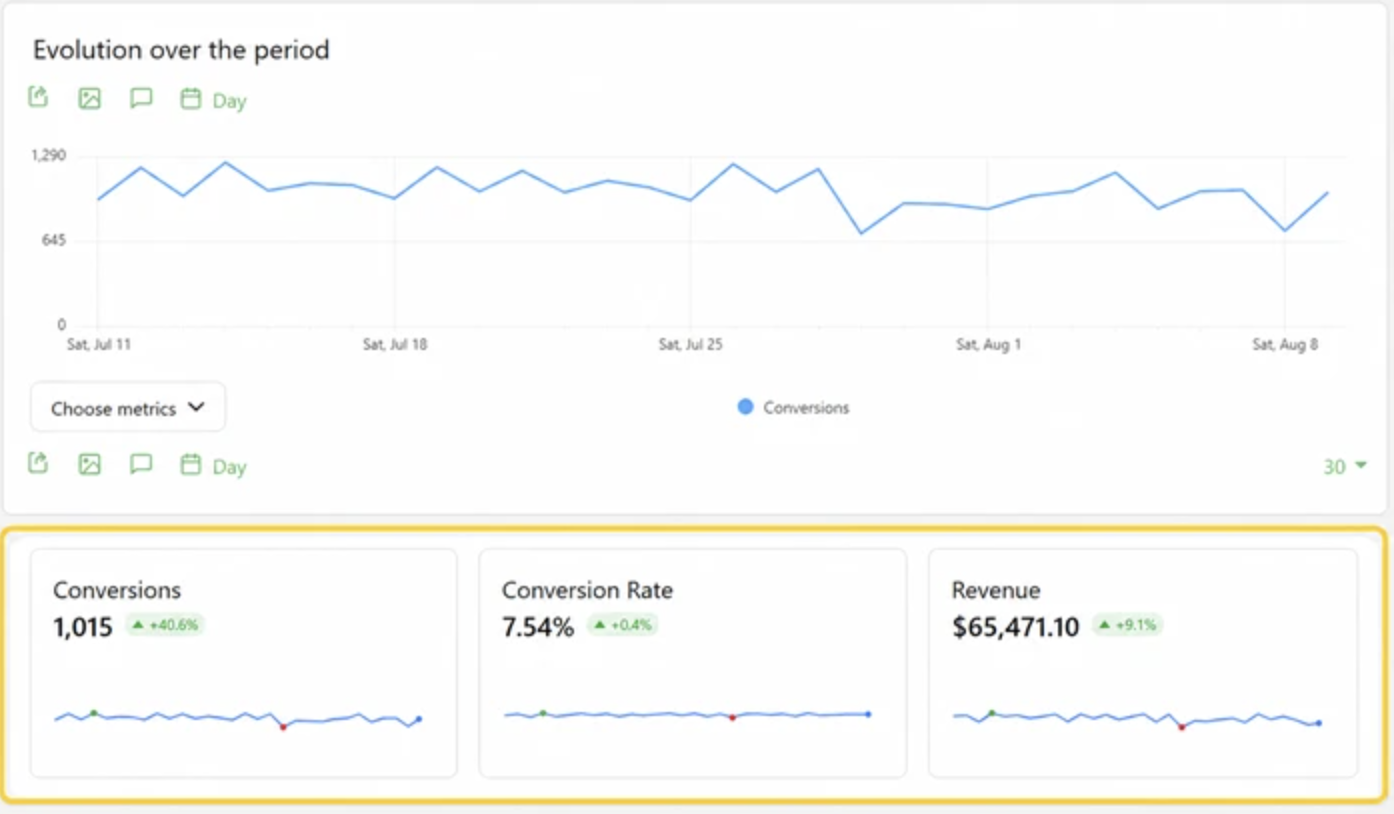
Your sparkline summary cards have been redesigned, so each metric sits in its own clear card with a larger value and easier date and segment comparisons. |
Here is what stands out in this release:
- Clearer reporting, with redesigned sparkline summary cards that make your key metrics faster to scan and compare.
- A range of general and security fixes across the platform.
- Safer account management, with password confirmation before the admin role is granted, and a way for people you have invited to recover access to their account.
If you run Matomo On-Premise, you can update now, with no major database upgrade to worry about. On Matomo Cloud, these improvements are rolling out automatically. |
New to Matomo? Join our next webinar and get started with confidence |
Setting up your analytics the right way from day one saves a lot of guesswork later.
Join our live onboarding webinar on Tuesday 25 August at 7:00 PM CEST (10:00 AM PDT), hosted by Alex from the Matomo team, for a practical walkthrough of getting started with Matomo and getting more from your data. It is now a monthly session, so there is always a fresh chance to join. |
Here is what we will cover:
- The essentials to set up Matomo the right way from the start,
- Practical tips for your daily work,
- Time for your questions, answered live!
Whether you are new to Matomo or just want to check your setup is on the right track, you will have a clearer path forward. |
Technical Masterclass: Matomo Tag Manager |
Want to try Matomo Tag Manager? Join our new Technical Masterclass with Ralph Conti, Solutions Enablement Specialist at Matomo.
You’ll learn how Matomo Tag Manager works, how to get started and how it can help you manage your tracking more easily, all directly within Matomo.
Ralph will walk you through the essentials with practical examples, so you can see how Tag Manager works in a real setup and build the confidence to start using it yourself.
And of course, you’ll also have time to ask your questions live. |
See what AI chatbots are pulling from your site, in real time |
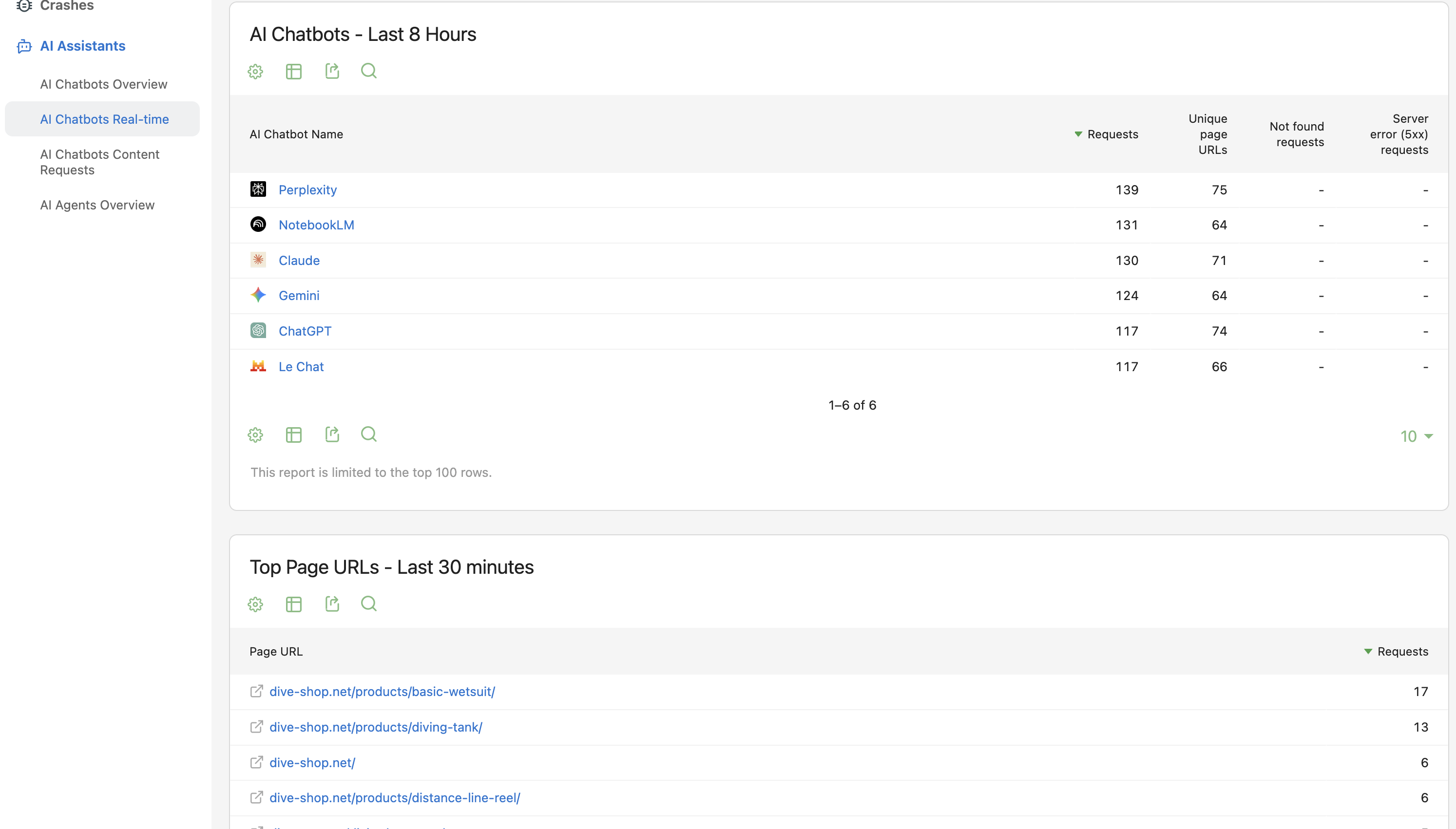
AI assistants are reading your content to answer questions for their users. Now you can watch that activity as it happens. The new AI Chatbots Real-time report gives you a live view of chatbot requests on your site, across the last 30 minutes and the last 8 hours. |
It is built for quick operational checks, so you can confirm your newest content is being picked up and spot 404 or 5xx issues before they affect the content AI tools can access.
The report works once AI chatbot tracking is set up on your site. |
Best-Of: A practical guide to using Matomo AI Connector (MCP) in your daily work |
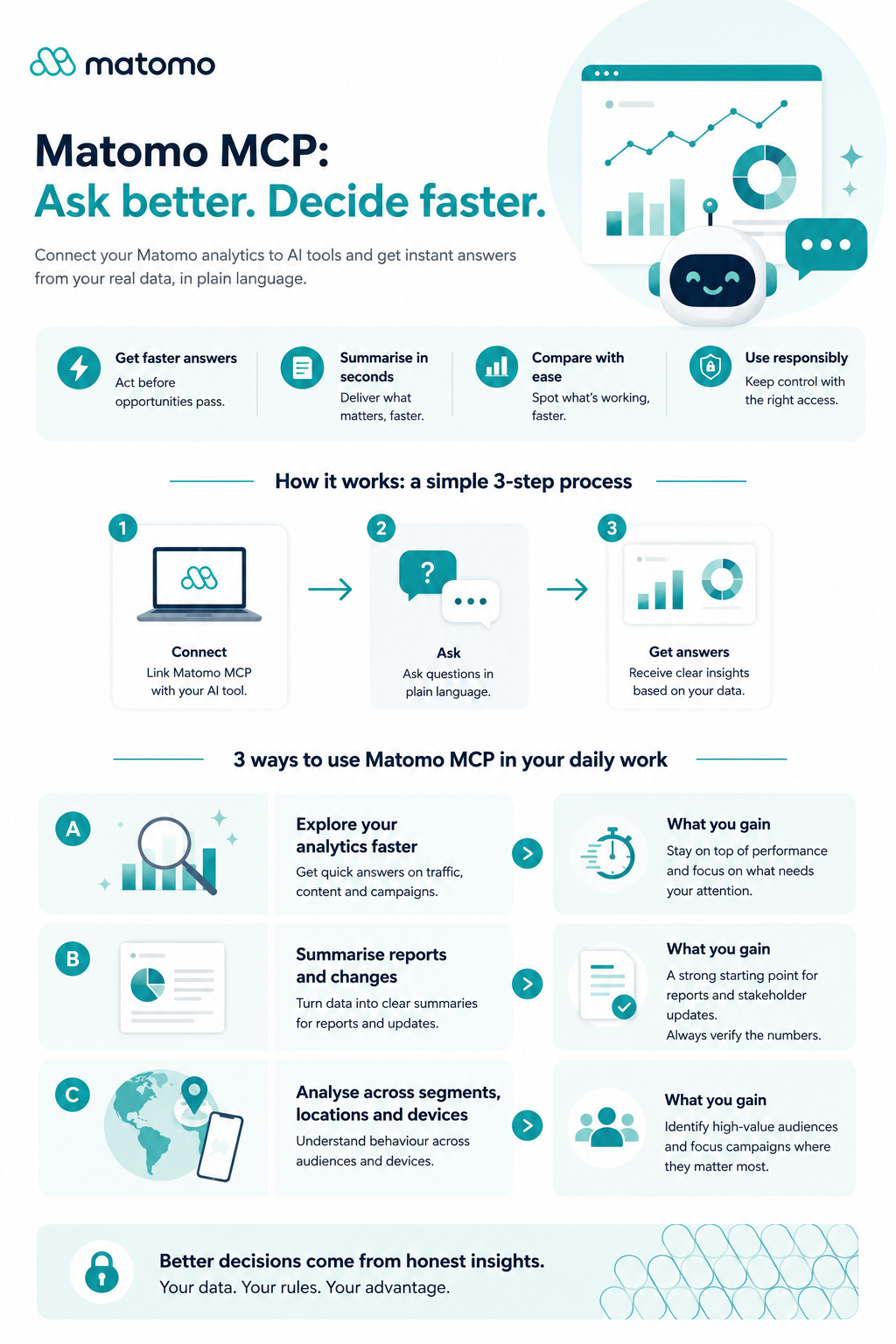
This one was your favourite over the past year, so we are bringing it back for the summer. The Matomo AI Connector (MCP) guide shows you how to connect your AI assistant to your Matomo data, so you can ask questions in plain language instead of building reports by hand.
Here’s what you’ll learn: |
In this guide, we cover how to:
- Find key traffic, campaign and conversion insights faster
| | | | |