| |
 |
| Courses • Learning Tracks • My Account |
INFOCUS
Your Monthly Newsletter · August 2026 — Issue 08 |
 |
My Photo RAW Max 2026 ON1 Workflow
14 lessons with Scott Kelby |
|
Scott's complete start-to-finish editing recipe in ON1 Photo RAW Max 2026 — the exact workflow he uses on his own images, from noise reduction all the way to final sharpening. Across 14 lessons you'll watch him build an edit step by step, add creative touches like sun flares, and land consistent, finished results on every image. And because the same tools work as plugins with Lightroom and Photoshop, everything you learn folds straight into the workflow you already have.
Not a member?
Full 14-lesson course, free through November 15, 2026 — no membership required. |
|
6
Courses In This Issue |
4
Days Of Live Training In Sept |
1,000+
Courses In Your Library |
|
|
Recent Courses
In case you missed them — two courses recently added to your library. |
 |
What Makes a Great Portrait
With Scott Kelby Watch Now → |
|
 |
The One-Person Portrait Studio
With Gilmar Smith Watch Now → |
|
|
What's Coming This Month
Two more courses landing in your library before the end of August. |
 |
August 20
Camera Maintenance Essentials: The Twenty Minutes That Saves Your Gear
With Erik Kuna |
|
 |
August 27
Start Smart: Build a Strong Foundation in Lightroom Classic
With Rob Sylvan |
|
|
Creative Toolkit — Free Member Perk
|
|
Quick Tips |
| |
Quick Tip · Photoshop
Apply Dehaze to Just Part of Your Photo
New in Photoshop 2026: Clarity, Dehaze, and Grain are now adjustment layers — no Camera Raw roundtrip. Go to Layer > New Adjustment Layer > Dehaze, then paint the layer mask to limit the effect — cut background haze while leaving your subject untouched. All three are maskable and non-destructive. |
|
| |
Quick Tip · Lightroom
Let AI Reject the Blinks and Misfires Before You Cull
In Lightroom Classic: Turn on the feature via Catalog Settings > Metadata > Assisted Culling. In the Library module, select a folder or collection and open the Assisted Culling panel. Under Select, enable Subject Focus; under Reject, check Exposure issues and Misfires. Lightroom flags Selects and Rejects automatically — and the April 2026 update improved focus scoring on shallow depth-of-field shots. Review the Rejects once, then delete. |
|
| |
Shooting Tip · Camera
Focus on the Nearest Eye
Use single-point autofocus and place it directly on your subject's nearest eye. A tack-sharp eye makes the entire portrait feel professional — and forgives almost anything else in the frame. |
|
| |
Shooting Tip · iPhone
Tap, Then Slide Down
Tap your subject to set focus, then slide your finger down to darken the exposure slightly. iPhones overexpose by default — pulling it back protects your highlights and instantly gives photos a richer, more professional look. |
|
|
Featured Learning Track
Landscape Track
5 of the world's best landscape photographers teaching you
5 Courses · 60 Lessons · Nearly 9 Hours 
This track helps you capture standout landscape shots — whether you're shooting your backyard, local parks, mountain ranges, or the coast. Start with a comprehensive basics course to build a solid foundation in composition, exposure, and gear. Then go deeper: harness natural light, capture sweeping panoramas, and master the techniques behind striking long exposures.
|
|
Member Spotlight
This Month's Standout From the Community |
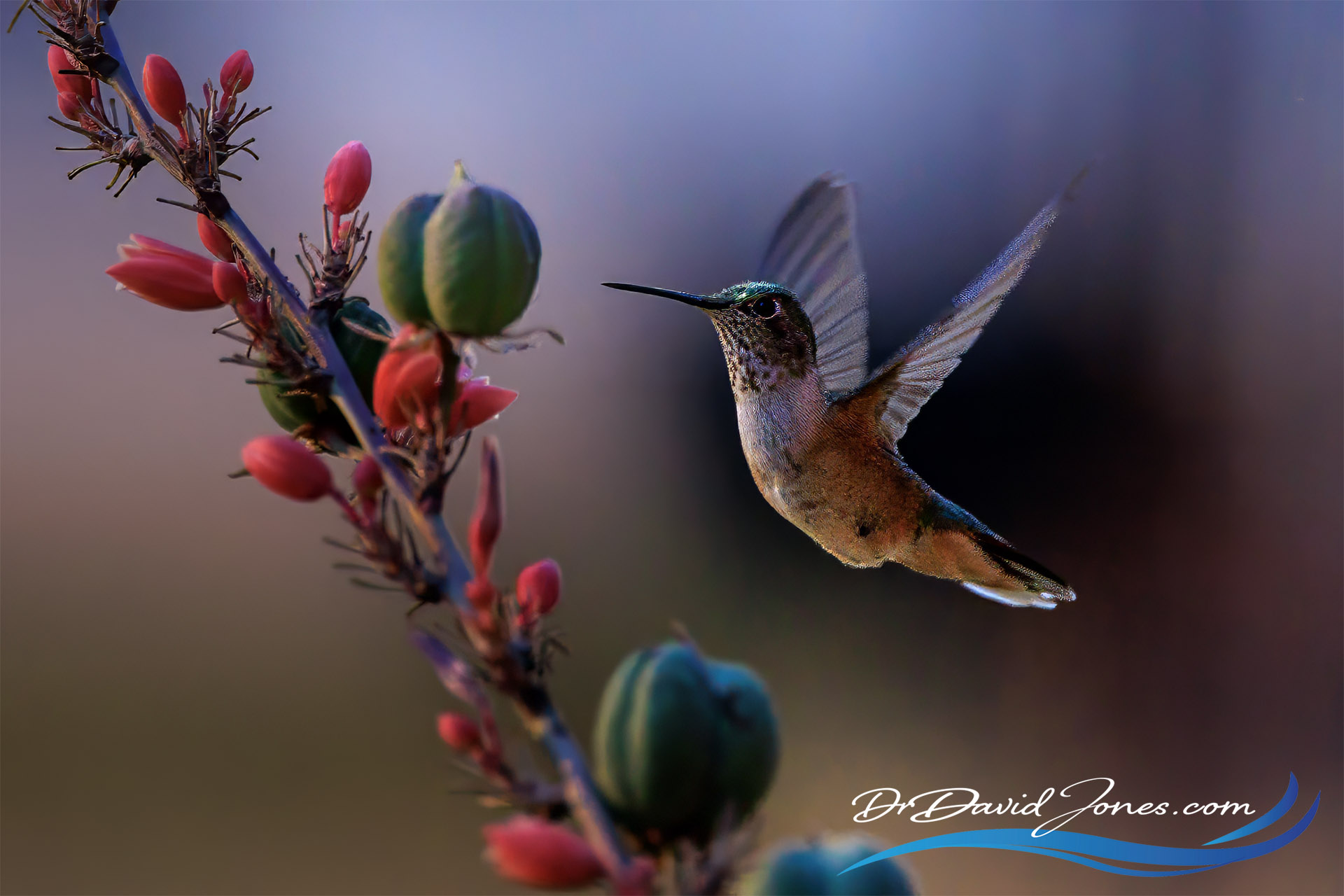 |
|
Photo by David Jones · Member Since May 2019 |
|
Broad-Tailed Hummingbird
“Broad tailed hummingbird taken this morning.”
Taken August 10, 2026 See More From David in the Community → |
|
|
|
Live In September
|
|
Live Online Event · September 14–17
Photoshop World 2026
The Photoshop Event of the Year. Four Days. Fully Live. Wherever You Are.
Photoshop World is back this September — four full days of live, online training from the world's best Photoshop, Lightroom, and photography instructors, streamed right to wherever you are. Sessions, keynotes, and the kind of learning that sticks with you all year, no travel required. Registration is open now. Reserve Your Spot Today! → |
|
|
From The Vault 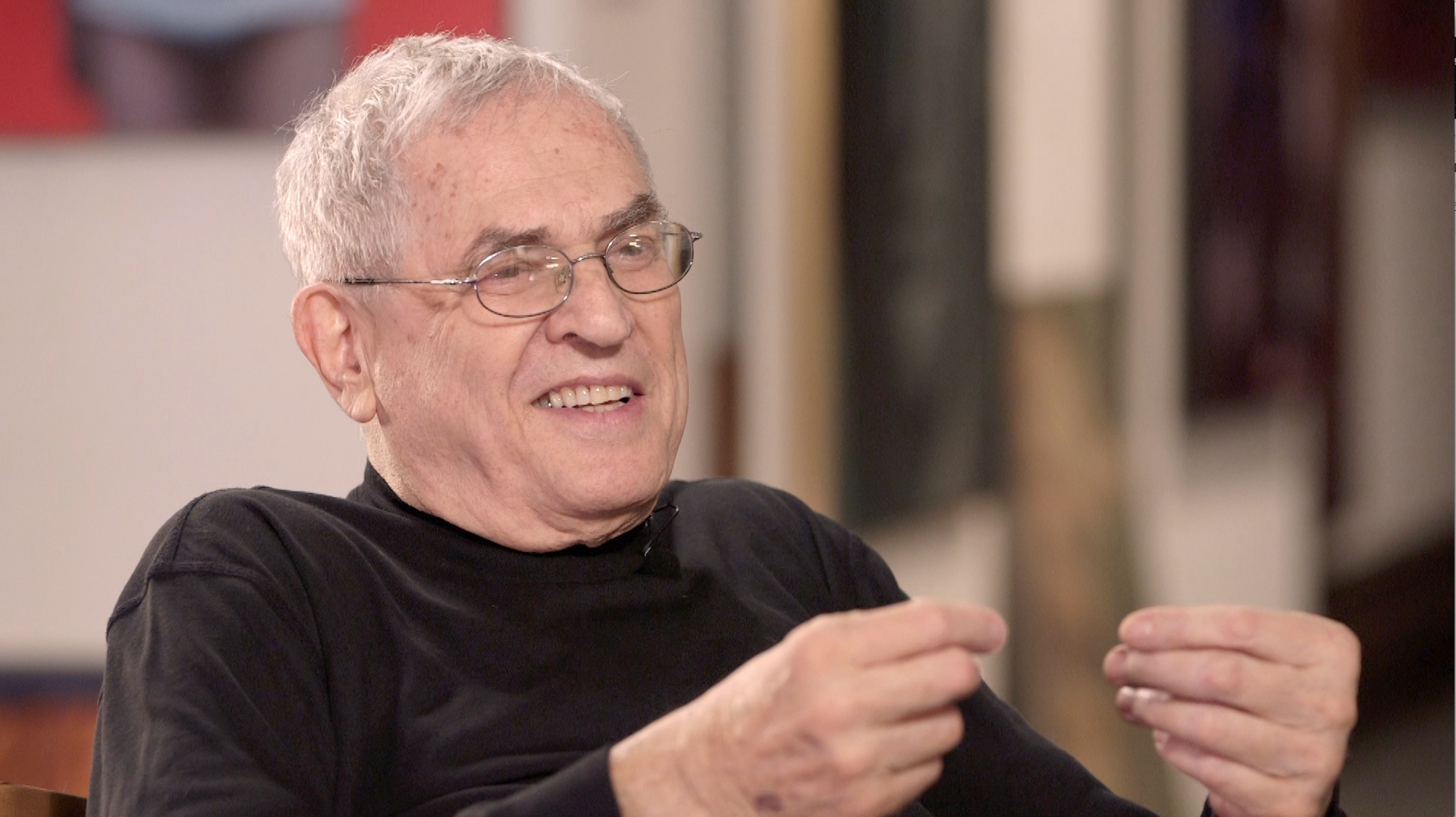
A Day with Jay Maisel
17 Lessons · 1 Hour 55 Minutes
Spend the day with famed photographer Jay Maisel as he takes Scott Kelby on a walking tour of his favorite places to shoot in New York City. Along the way, Jay shares his thoughts on his choices and techniques — and on finding the spark in every photo you take. His challenge to you: observe the world around you, get excited by what you see, and let your images capture that passion. Perfect for beginner and intermediate photographers learning to see their surroundings and find the fun in their photography. Start The Course → |
|
Know a Photographer Who'd Love This? |
|
Great photographers share what they learn. Send KelbyOne to a friend — photographer to photographer. |
|
|
|
|
Not a Member Yet?
Every Course. Every Month.
One Membership.
Unlock the entire KelbyOne library — 1,000+ courses, new courses every week, plus presets, perks, and the full member community, for $249 $199/year — about 54¢ a day.
Instant access to every course, on every device · Cancel anytime |
★★★★★ Rated 4.8 “Excellent” on Trustpilot · 30-day money-back guarantee |
|
Join 350,000+ Photographers Learning With KelbyOne |
| |