 |
|
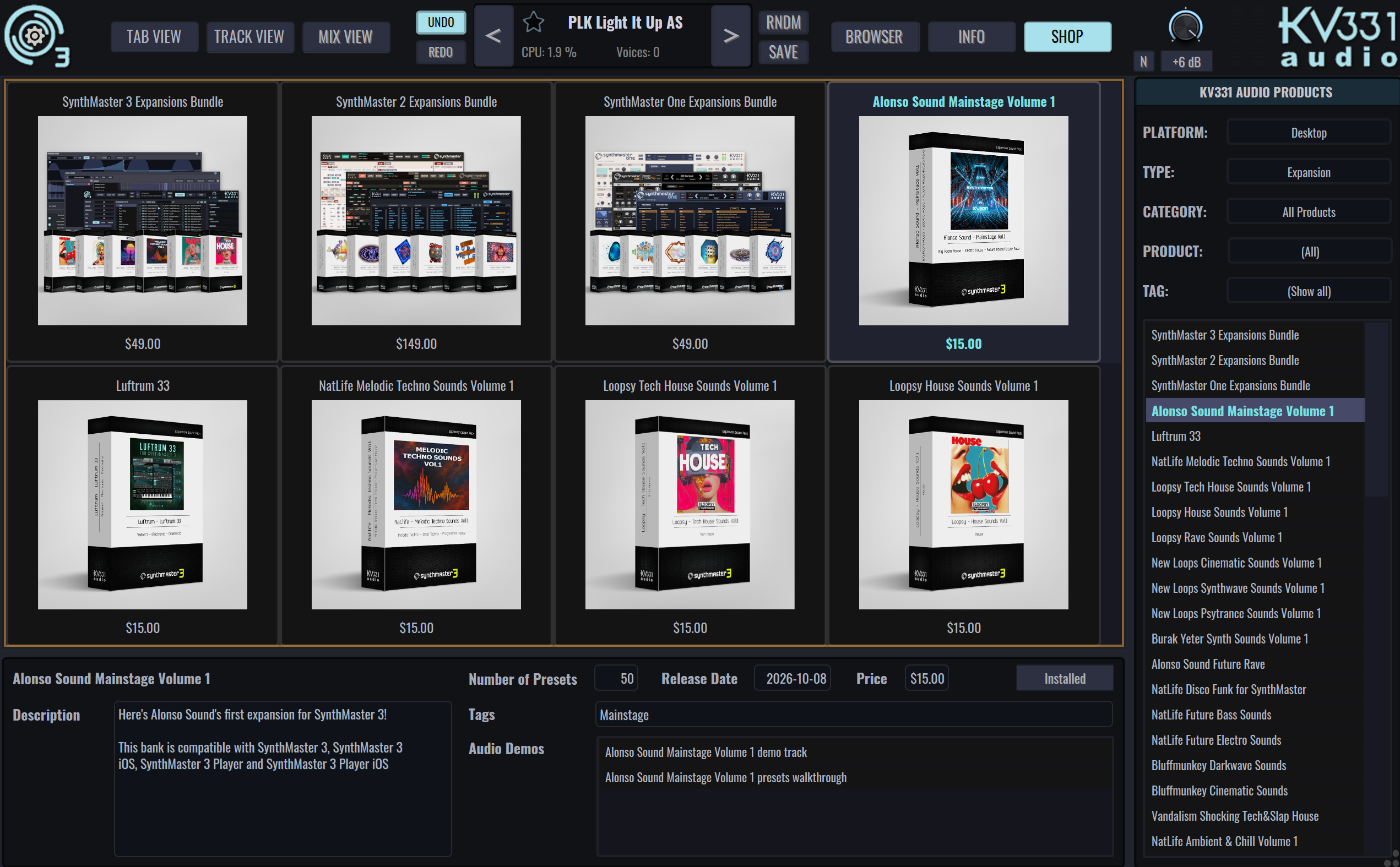
Alonso Sound Mainstage Volume 1 released for SynthMaster 3
|
|
Dear Maciej Janowski,
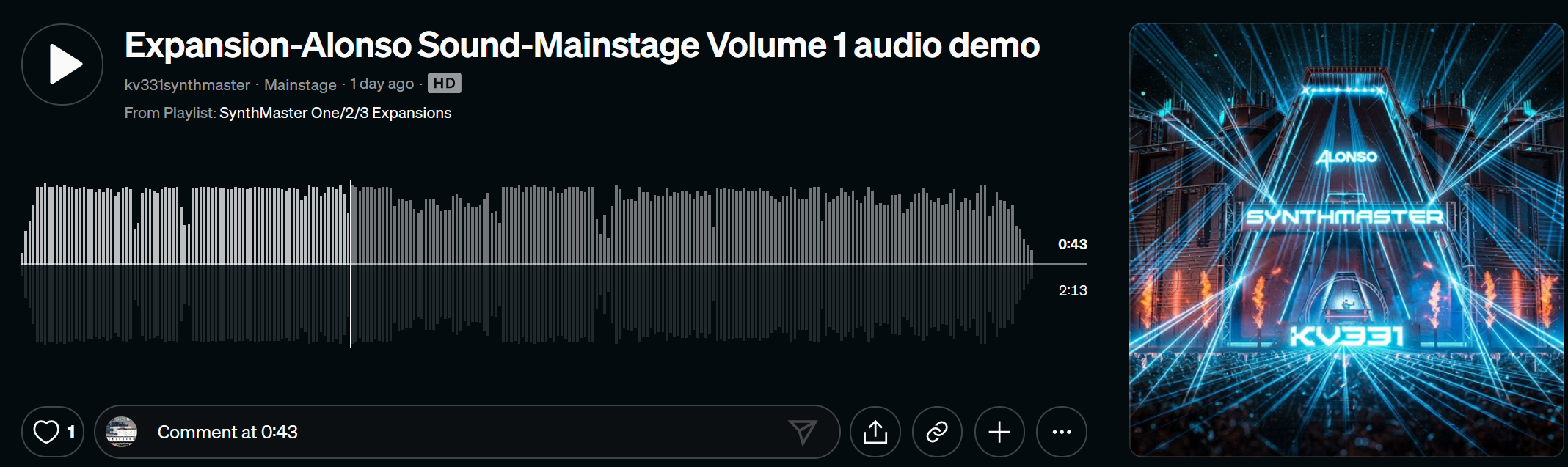
This bank comes with 50 new presets suitable for Mainstage genre(s). You can listen to the audio demo on our SoundCloud page:
How to purchase this bank?
How to install this bank?
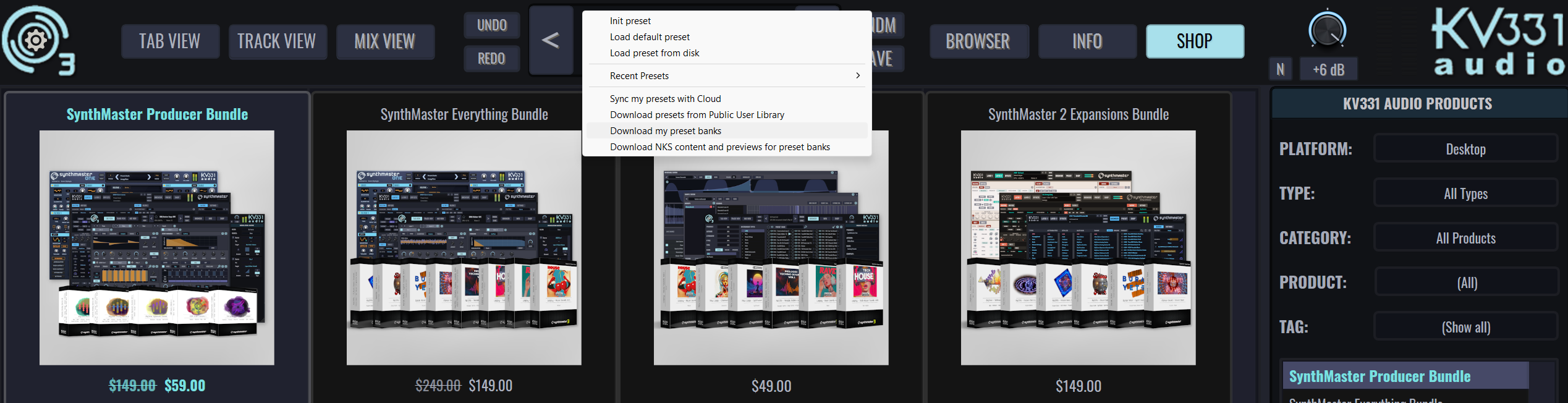
Once you purchase the bank, you can easily download and install it inside the plugin window:
FREE with SynthMaster 3 / SynthMaster 3 Player purchase (new or upgrade)
- With each SynthMaster 3 purchase (new or upgrade), you get 6 expansions for FREE
- With each SynthMaster 3 Player purchase (new or upgrade), you get 3 expansions for FREE
FREE with SynthMaster Everything Bundle / SynthMaster 3 Expansions Bundle
Thank you for your support!
Team SynthMaster
|
|
Nominate & Vote for SynthMaster 3 / KV331 Audio now!
|
|
- Favourite Developer: KV331 Audio
- Favourite Synth: SynthMaster 3
Your support means so much to our team. Thank you for making SynthMaster part of your music!
|
|
SynthMaster 2 Win/Mac/iPad updated to v2.9.18
|
|
Back in June, we finally updated SynthMaster 2 on Windows, MacOS and also also iOS to version 2.9.18!
Just so you know, this release will be our final update for SynthMaster 2/Player on Windows and MacOS: After this update we won't be releasing any further updates on Windows or MacOS, as our focus is now on SynthMaster 3.5 & then 4.0. We urge all existing SM2 / SM2 Player users to upgrade to SynthMaster 3 / SynthMaster 3 Player so that we can continue developing new products.
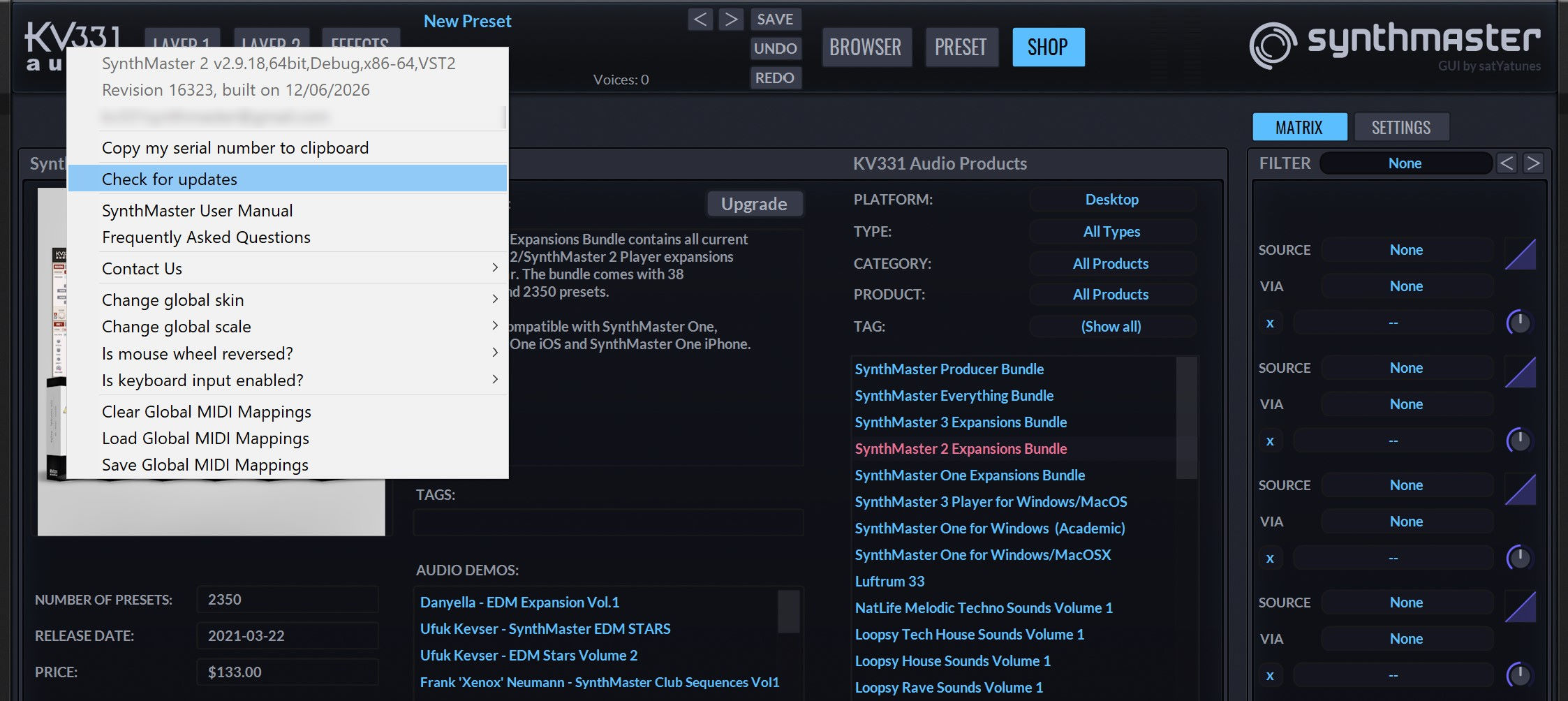
Existing SynthMaster 2 / Player users on Windows/MacOS can download this update by checking for updates inside the plugin, or by logging on to the user area page on our website:
What is New in v2.9.18 Update?
- Added Undo for preset loads
- Added Import/Export MIDI Mappings
- Added fade in/fade out of master volume when loading presets
- Added Task Dialog to show progress of expansion downloads
- Added MIDI Learn for XYView control
- License Key File Dialog is now displayed after plugin window is shown
What are the Bug Fixes in v2.9.18 Update?
- SynthMaster 2 VST3 doesn't process MIDI CC messages correctly
- SynthMaster 2 might crash while changing skins
- SynthMaster 2 might crash while exiting if skins were changed prior to exit
- Preset browser doesn't list presets correctly when text is entered into preset name textbox
- Global settings and midi mappings should be saved when modified
- When user searches presets by bank name, exact string match should be user
- MIDI Banks are not loaded correctly
- MIDI Program Change messages should be ignored when the same PC message is received multiple times
- When global parameter MIDI Mapping is added/removed, all plugin instances should be notified
- LFO AR envelope might generate out of bounds values which might cause a crash
- SynthMaster 2 VST3 might generate stuck notes when run inside FL Studio
- When one plugin instance updates presets database, the other instances should be notified
|
|
SynthMaster 3 Player iOS released
|
|
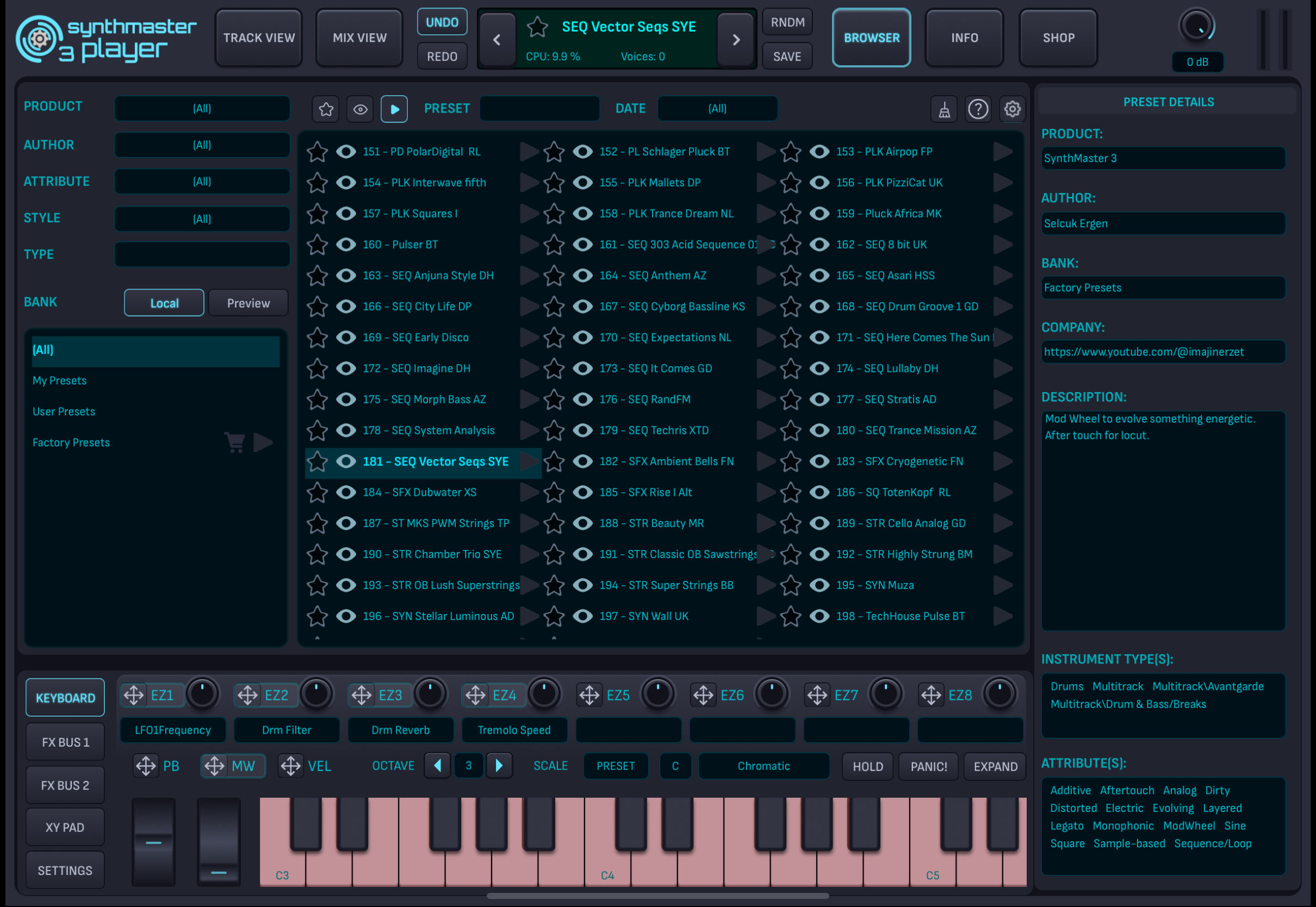
Back in May we announced the release of SynthMaster 3 Player iOS on the AppStore, as a FREE synth app and also AUv3 plugin!
If you have an iPhone or iPad, go ahead and download it now on your iPhone / iPad now! After you install the app, make sure you register with your existing KV331 Audio account so that you can download your previous in app purchases for SynthMaster Player iOS / SynthMaster One iOS / SynthMaster 2 iOS products on your mobile device(s).
IMPORTANT NOTICE for SynthMaster Player iOS users: Our older app SynthMaster Player iOS is now obsolete, it is replaced by SynthMaster 3 Player iOS. We will not update SynthMaster Player iOS anymore. So please make sure you download SynthMaster 3 Player iOS now!
What is SynthMaster 3 Player iOS?
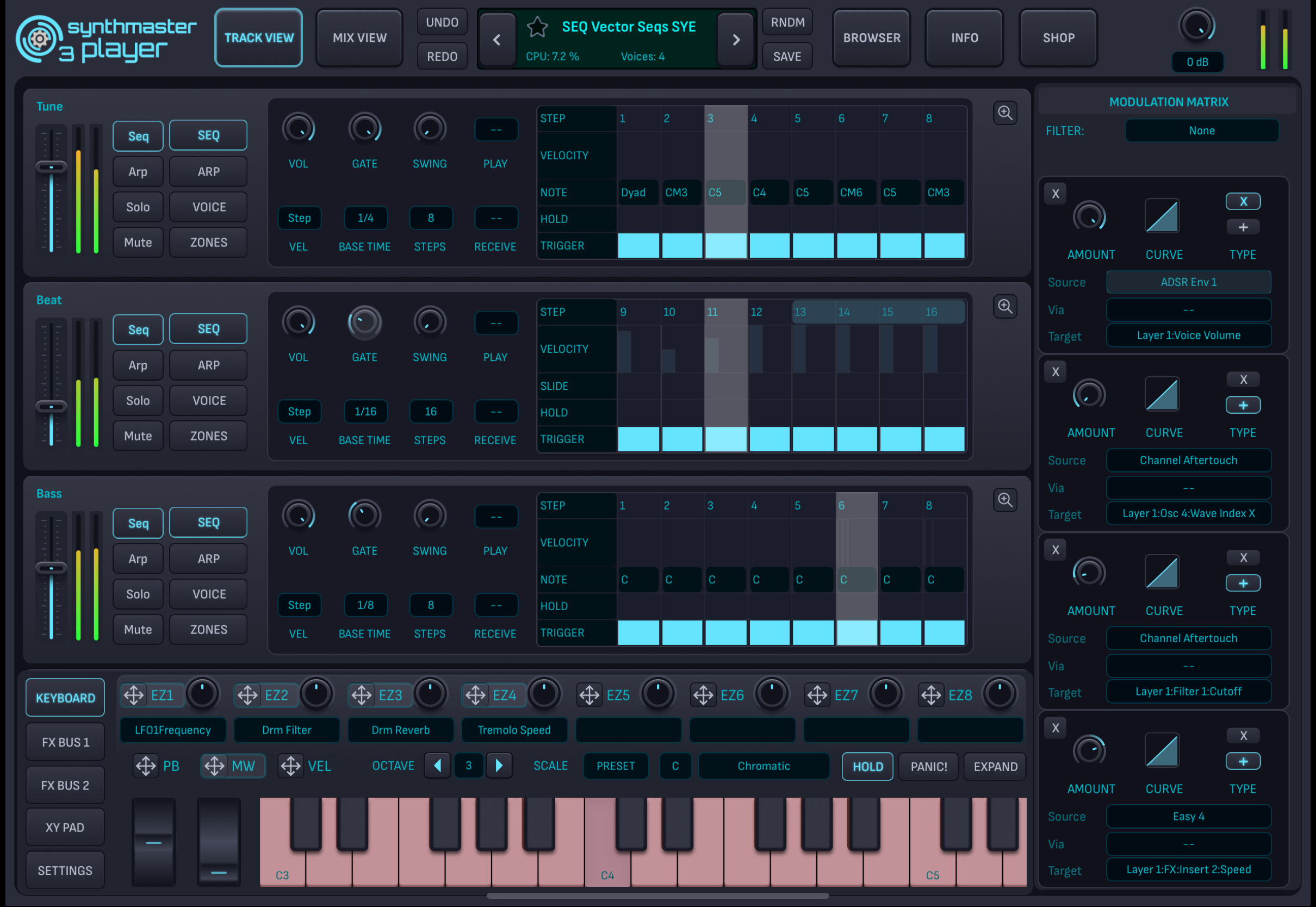
SynthMaster 3 Player iOS is a stripped down version of SynthMaster 3 tailored towards users who prefer tweaking existing presets over designing sounds from scratch. It is a free app on the AppStore that ships with 200 presets. Once the user completes registration, the number of free presets increases to 500. Our registered users can register with their KV331 Audio accounts and download their existing desktop preset banks / past in app purchases on to their iOS devices (Desktop preset bank downloads require "Unlock Desktop Features and Content" in app purchase for users who don't have a license for our Everything Bundle or SynthMaster 3 or SynthMaster 3 Player products)
More than a ROMpler
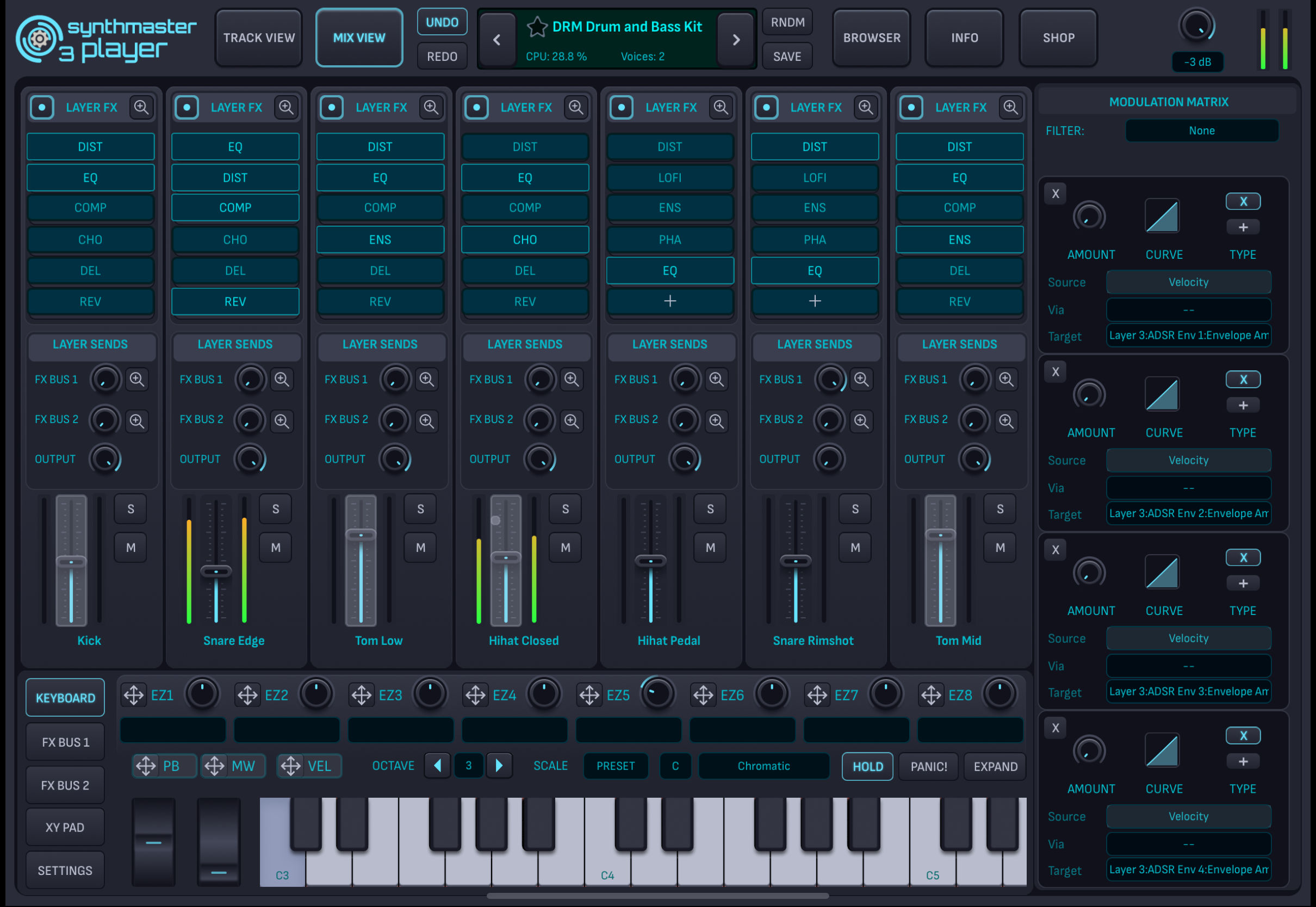
SynthMaster 3 Player iOS is identical to SynthMaster 3 except the limited editing features: While layer modules and modulation sources are not accesible, all other layer sections such as layer voicing, unison, keyboard zones, velocity zones, arpeggiator, sequencer and insert FX can be edited by the user.
Multi-Layered Architecture
Each SynthMaster 3 Player iOS instance can have up to 16 layers. Users can add new layers by loading existing presets into layers through the preset browser:
In App Purchase Store
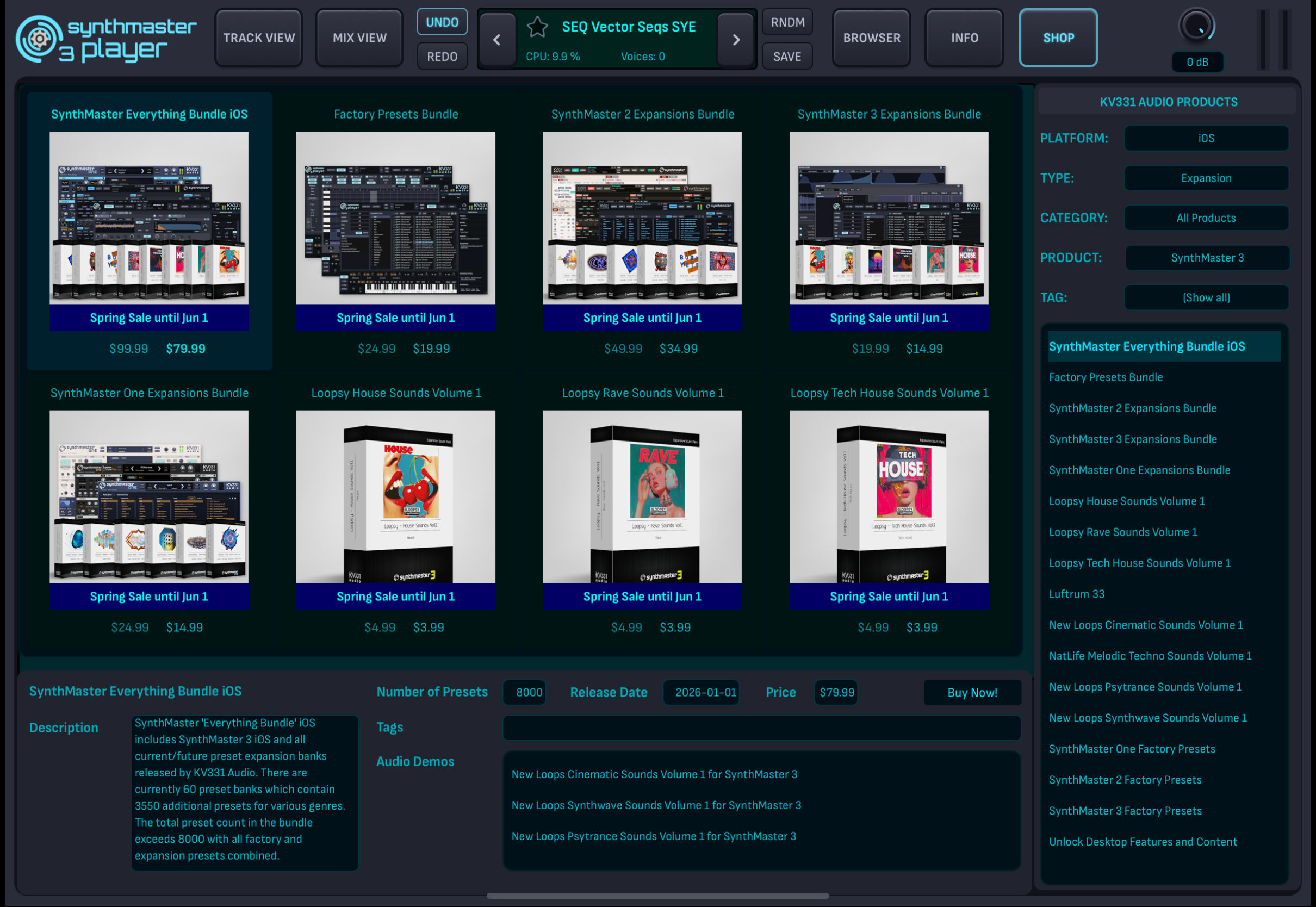
SynthMaster 3 Player iOS features a Shop page where all KV331 Audio products are displayed with their individual price and sale details. Users can easily purchase new or upgrade licenses through the Shop page:
Available as an AUv3 Plugin
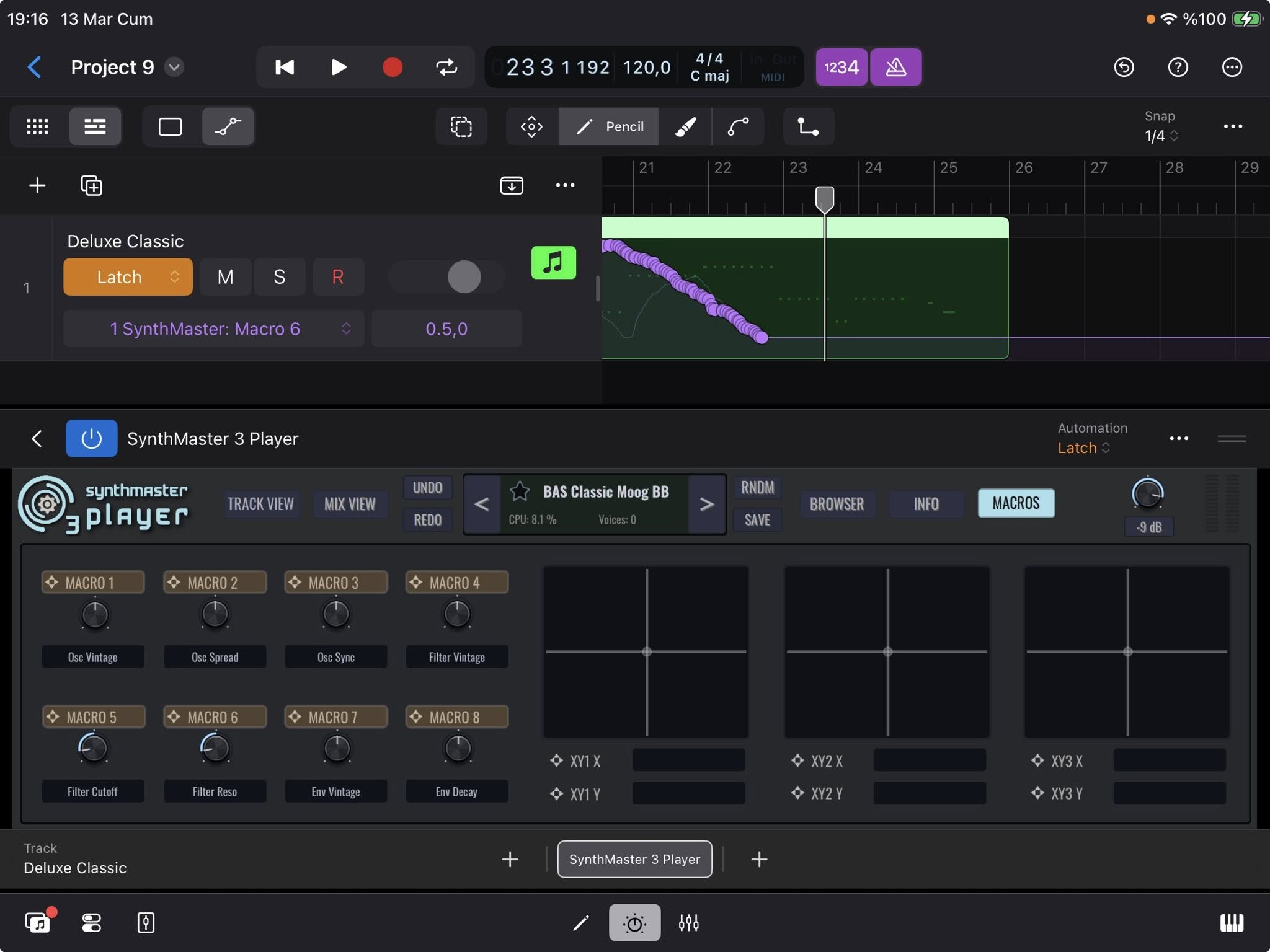
SynthMaster 3 Player iOS is not only available as a standalone app, but also as an AUv3 plugin running under DAWs like Cubasis, GarageBand, Logic Pro and AUM! With Logic Pro, you can even work cross platform: Edit a project on your iPad and then on your Mac, this is entirely possible now with SynthMaster 3 Player iOS!
Available on iPhone as well!
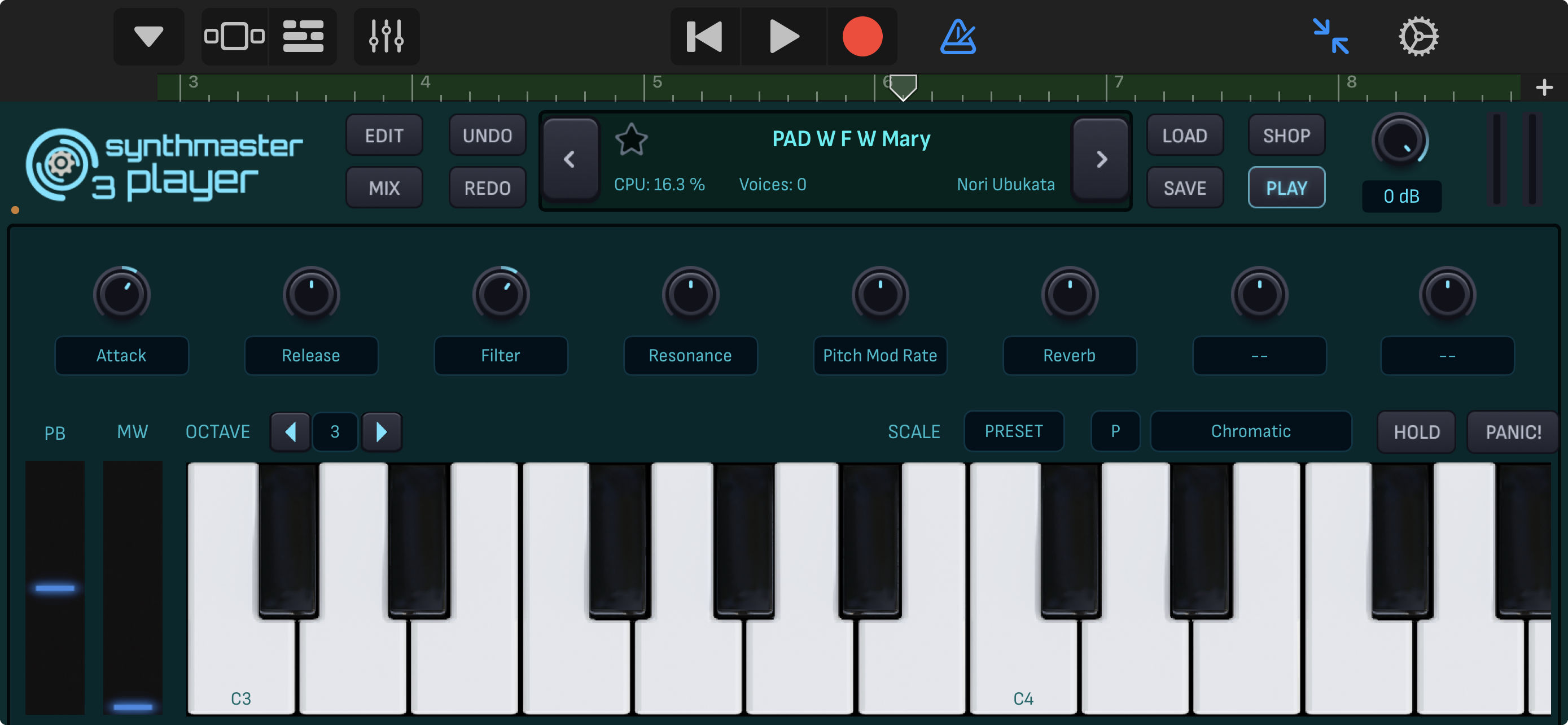
SynthMaster 3 Player iOS is not only available on the iPad, but also on the iPhone, both as a standalone app and also AUv3 plugin! This means that the entire SynthMaster presets library is at your fingertips:
Thank you very much for supporting the development of our products! and please spread the news about SynthMaster 3 Player iOS, we really really need that publicity!
|
|
SynthMaster 3 and SynthMaster 3 Player updated to version 3.4.9
|
|
We are recently announced another major update for SynthMaster 3 & SynthMaster 3 Player (desktop): Both are now updated to version 3.4.9 with exciting new features and critical bug fixes
HOW TO DOWNLOAD THE UPDATE
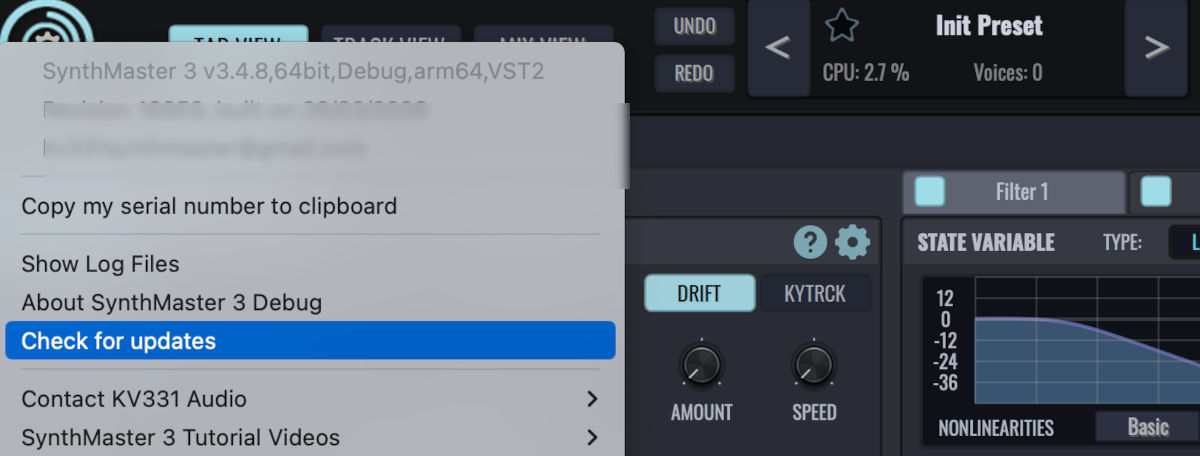
Our registered users can download this update by checking for updates inside the plugin window:
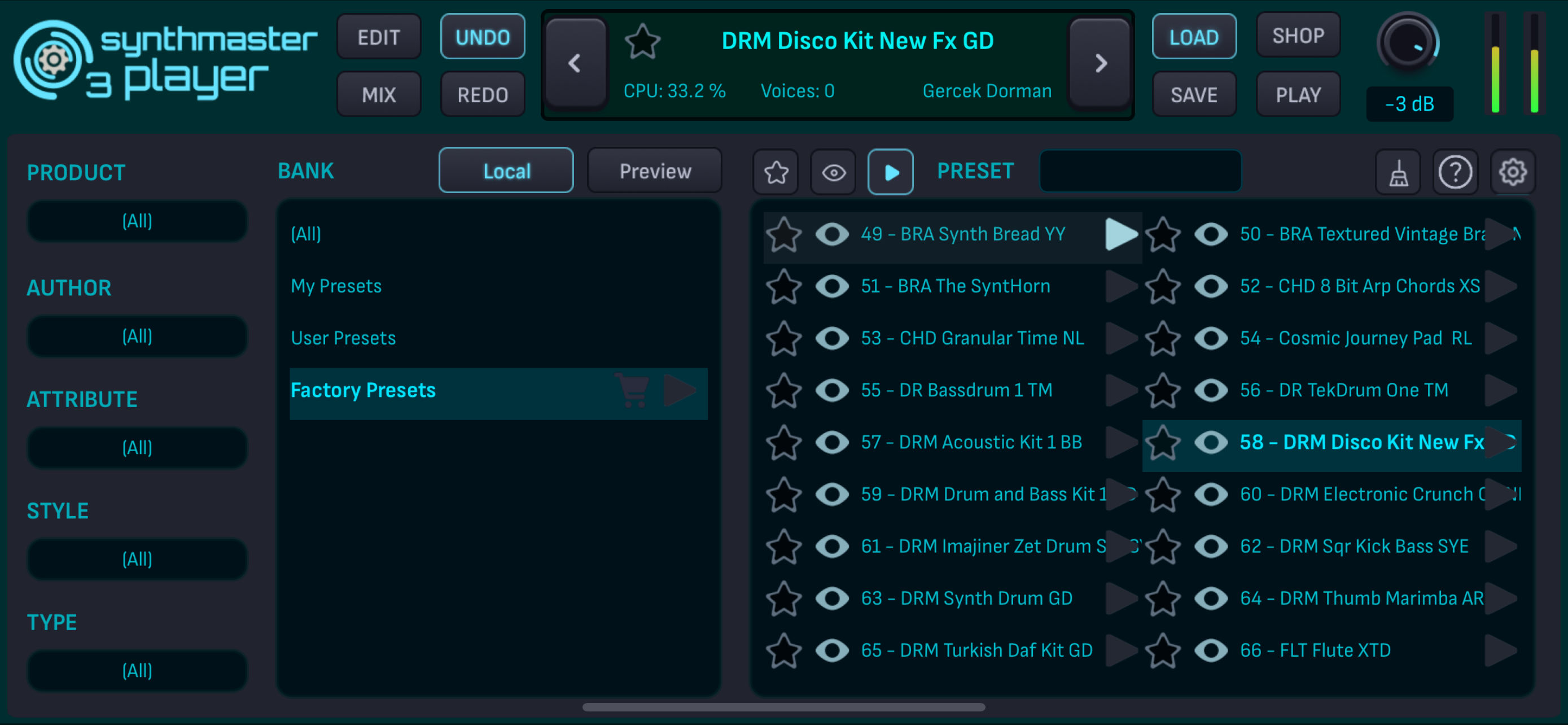
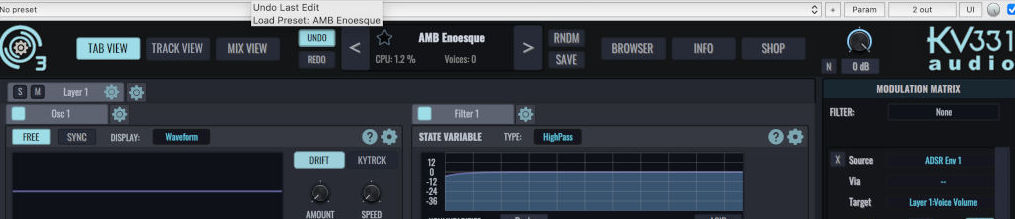
You can now undo the last preset load to revert back to the previous preset settings. Pressed the 'RNDM' button by mistake for instance? No problem, click on the 'Undo' button and your last edit is back :)
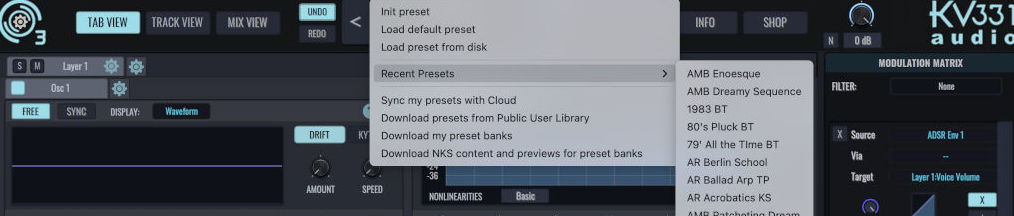
Recent Preset History
SynthMaster 3 now remembers the last 20 presets you recently browsed:
Color Coded Piano Keyboard
The piano keyboard now displays keys with different colors: Blue for drum kit pattern, Red for multisamples, Gray for disabled. This way, you would know if a preset contains multisamples or drum kit patterns.
Bundle Upgrades on the Shop Page
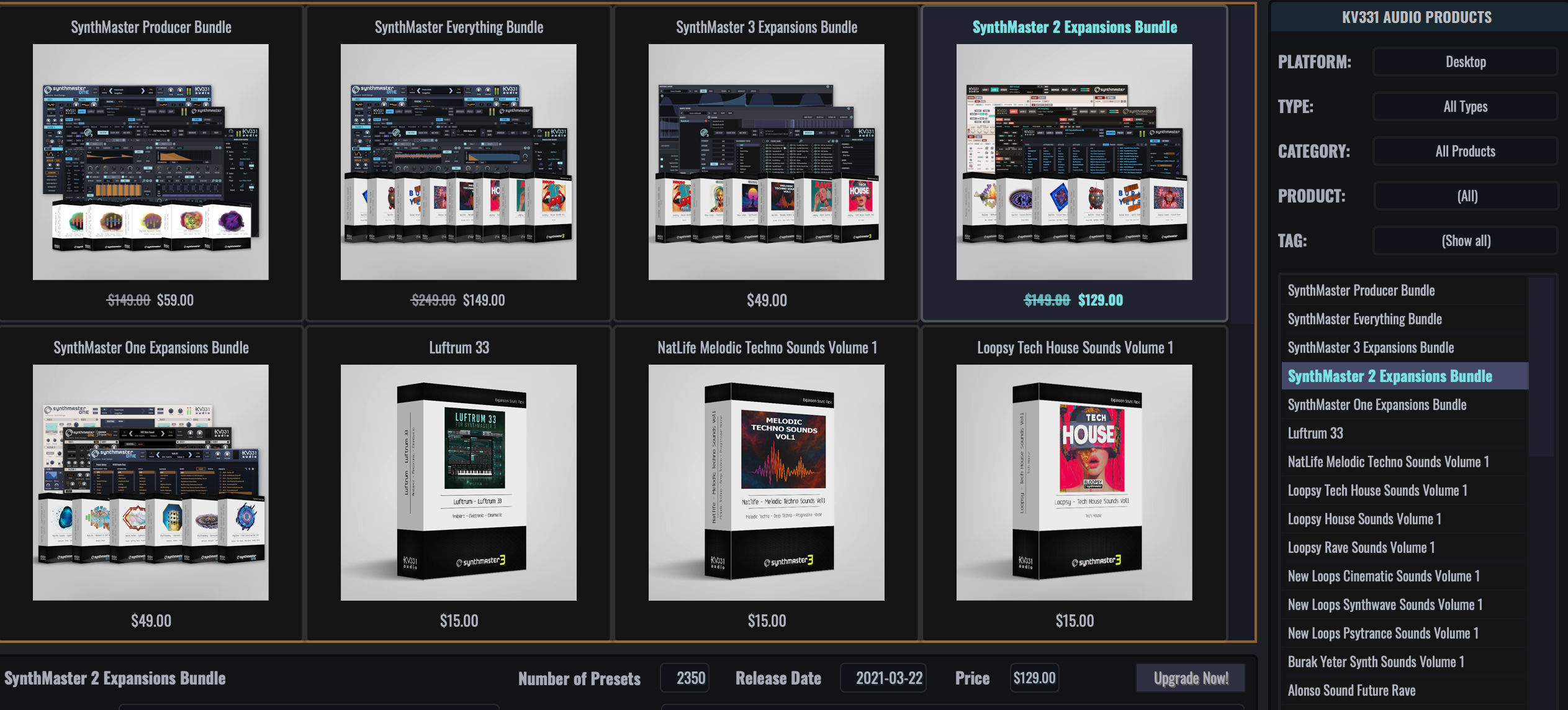
You can now upgrade to our bundle products with a special upgrade price based on your past purchase history. For instance, if you had purchased half of a bundle's contents before, your upgrade price would be half of the current price of that bundle:
The following products are eligible for this upgrade:
- SynthMaster Everything Bundle (iOS & Desktop)
- SynthMaster Producer Bundle (iOS & Desktop)
- SynthMaster 3 Expansions Bundle (iOS & Desktop)
- SynthMaster 2 Expansions Bundle (iOS & Desktop)
- SynthMaster One Expansions Bundle (iOS & Desktop)
Add Samples as Regions
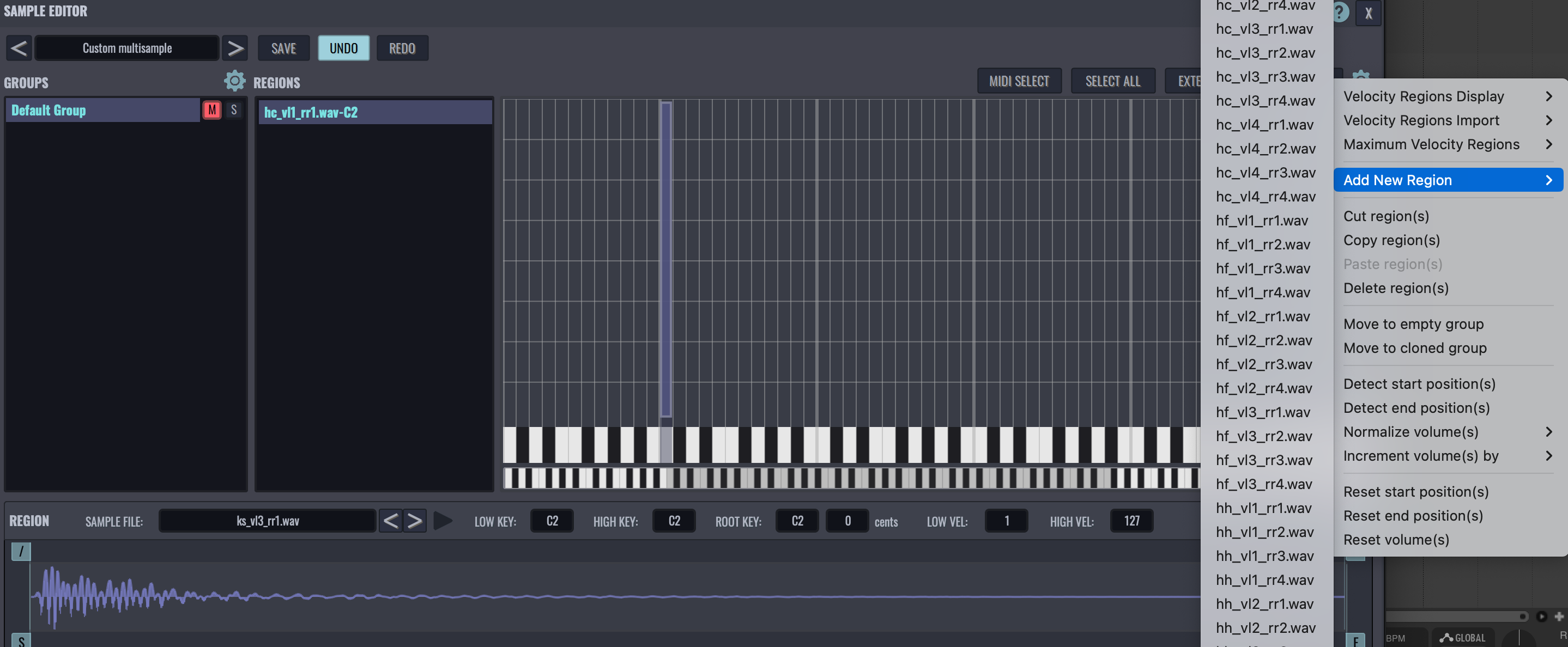
You can now easily add samples as regions to a multisample by selecting from the list of samples that reside under the multisample's samples folder. This is especially useful if you only start off with importing a couple of samples in a multisample, but the samples folder contains much more files:
Tooltips for Modulation Targets
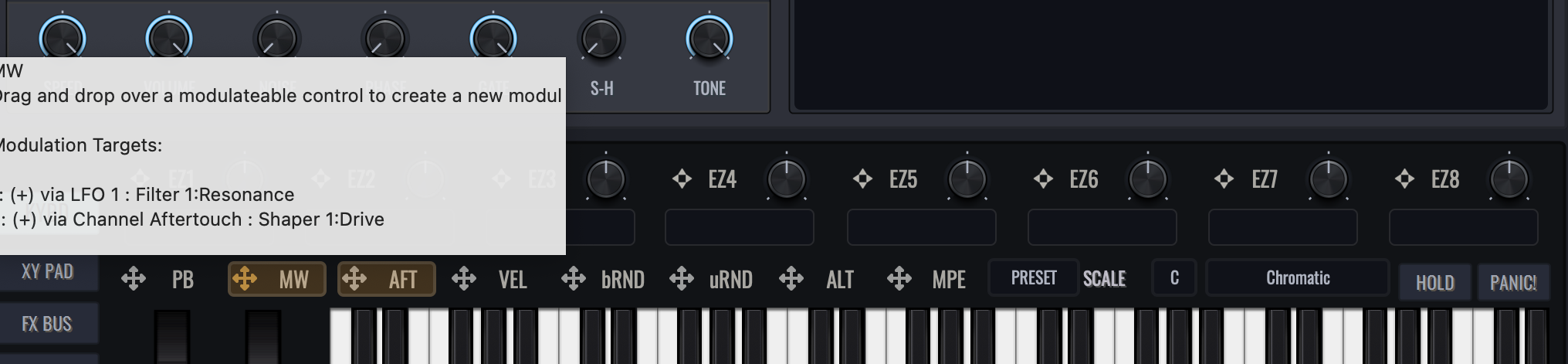
Want to see modulation targets of a modulation source without clicking on the source? That's possible now with our v3.4.9 update: Hover the mouse over a modulation source, and all modulation targets of that source are displayed on the tooltip window:
Tooltips for Modulation Sources
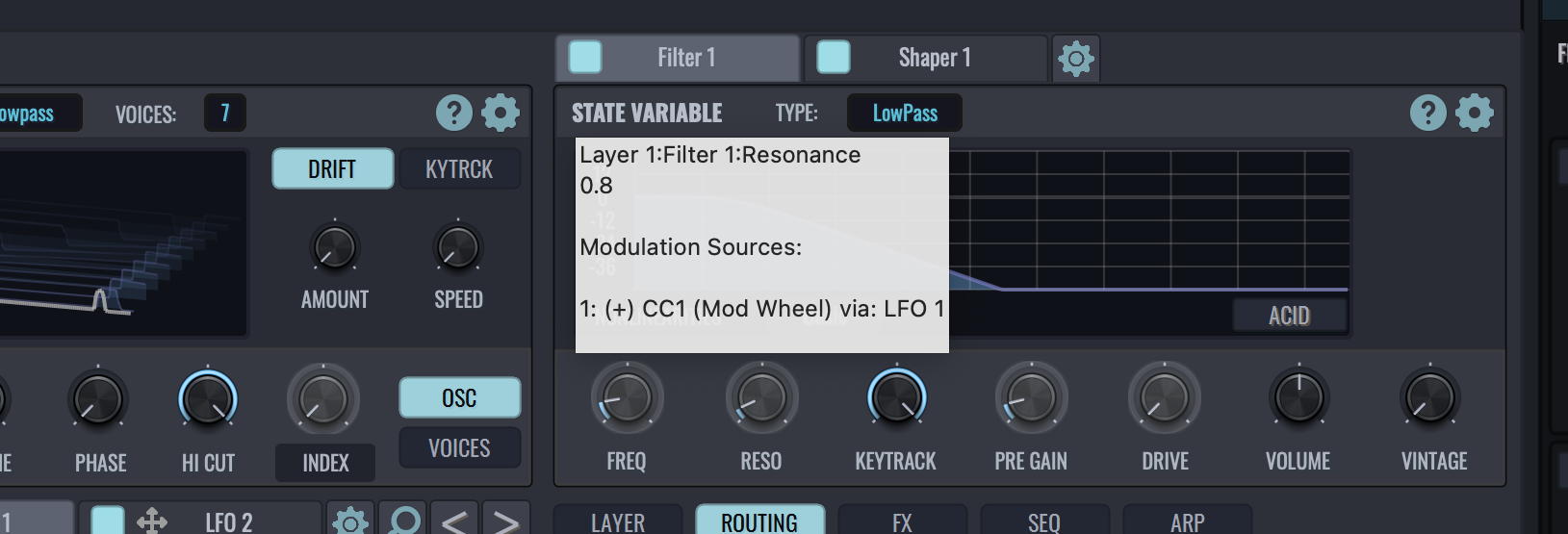
Want to see modulation sources for a knob/slider without clicking on that control? That's possible now with our v3.4.9 update: Hover the mouse over a knob/slider, and all modulation sources for that control are now displayed on the tooltip window.
Interoperability between MacOS and iOS
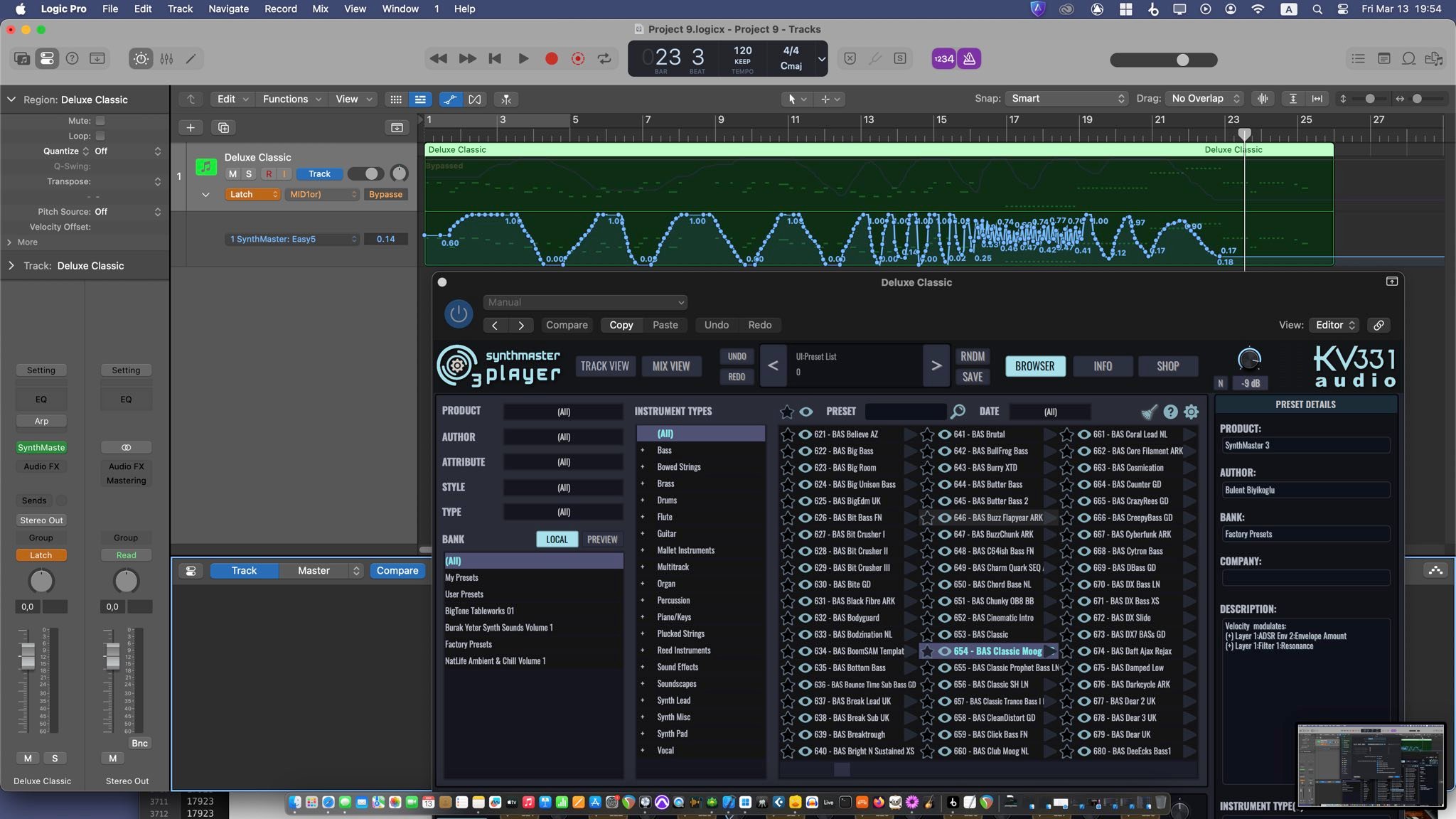
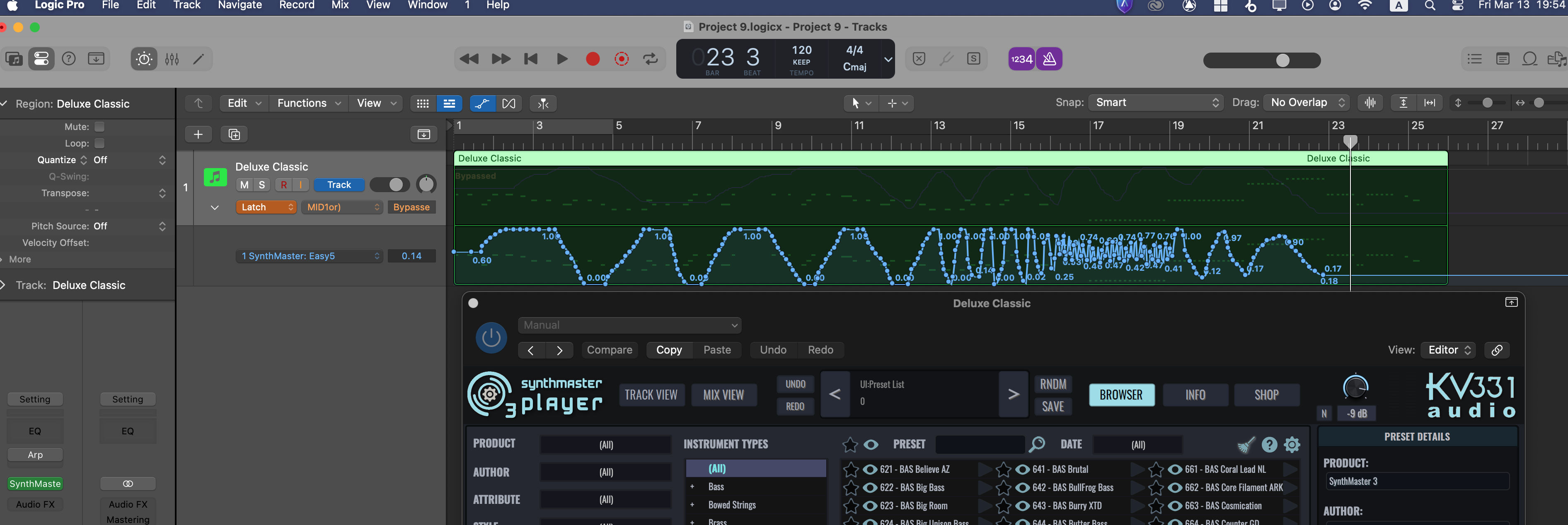
As you know we recently released SynthMaster 3 Player iOS Beta version. So, if you saved any projects with Logic Pro iOS that use SynthMaster 3 Player AUv3, Logic Pro Mac can now open those projects, with all preset and automation data restored:
BUG FIXES
This update also has critical bug fixes, so we urge all of our users to download and install the update:
- Preset preview playback calculation happens in real-time audio thread, causing serious dropouts
- Velocity glide doesn't work correctly for mono legato layers
- SynthMaster 2 presets older than version 2.7 sound different compared to SynthMaster 2
- When a layer is duplicated, the name of the new layer is not updated, it stays the same as the source layer
- When a modulation source is deleted, the first modulation source is selected, but the mod matrix is not refreshed to show targets for that source.
- When loading SynthMaster 2 presets, unused modulation sources should be removed
- Removing the last module in the routing view might crash SynthMaster 3
- Pressing Previos button to move to the previous preset might incorrectly move to the end of the presets list
- Deleting a modulation source and then undoing that edit doesn't restore the previous state correctly
- After sample editor is closed, piano view should be refreshed
- Changing a sample for a region doesn't work properly
- SynthMaster 3 might crash if license key file doesn't exist
- SynthMaster 3 standalone resets default preset to blank
- SynthMaster 3 doesn't refresh license key file when a new license is added to user account
- When entering filter cutoff/resonance values by text, the frequency/resonance values are displayed incorrectly
- SynthMaster 3 might crash when converting samples to wavetables
- SynthMaster 3 VST3 might generate stuck notes when run inside FL Studio
- When a dialog window is moved around the screen, it should not go out of screen.
- SynthMaster doesn't read sample paths correctly from SFZ files when there are relative paths to parent directory
|
|