| ▾ LIFETIME LICENSE ▾ |
 |
| |
Ashampoo® Photo Organizer Pro 27 | You save 76% | Download version | Ashampoo® App required
Release date: October 26, 2026
Operating System: Windows® 11 (x64), Windows® 11 (ARM), Windows® 10 (x64), Windows® 10 (ARM) |
| Hello dupa niepodam |
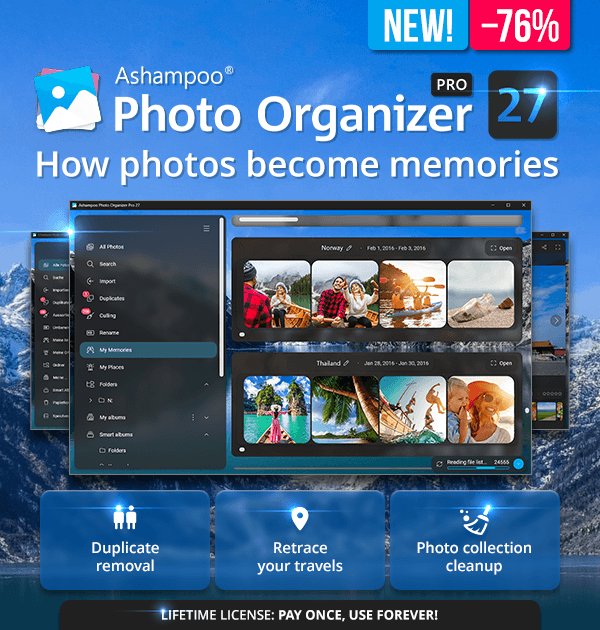
| With Ashampoo Photo Organizer Pro 27, you can keep even large photo collections organized while rediscovering your pictures again and again. Organize your photos, sort out weaker shots, and quickly find the right image among thousands. “My Memories” groups photos that belong together based on time and location, while “My Places” displays your pictures on an interactive world map. This lets you rediscover trips and experiences through your own photos. Features such as automatic focus assessment, tag management, and top photo search make photo management a breeze. |
| Highlights |
 | Automatic grouping of related photos from trips or outings | | Interactive world map with all photo locations | | Robust cloud integration: Access photos from OneDrive, Dropbox, and more | | Extensive metadata support including XMP sidecars | | Duplicate detection and removal | | Powerful search with numerous criteria | | Batch processing support for various tasks | | Lossless rotation and mirroring of images | |
 |
| Everything at a glance |
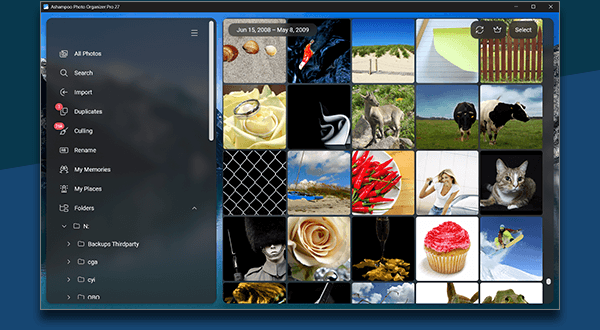
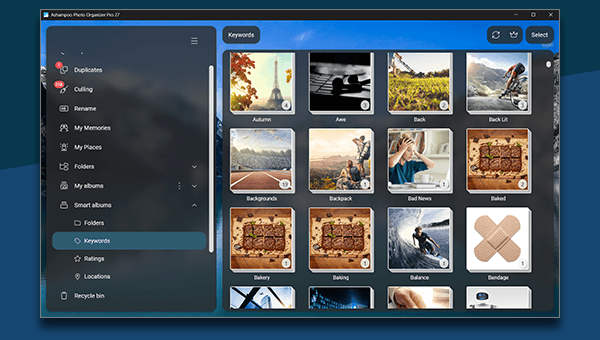
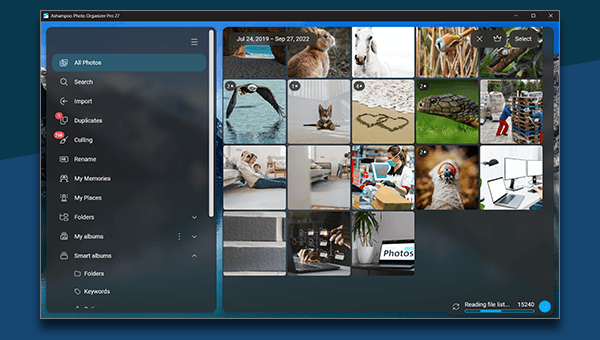
| Ashampoo Photo Organizer Pro displays all your images–whether stored locally or in the cloud. With the automatic grouping of photo series, you can effortlessly maintain a clear overview. Open smart albums to instantly view your photos neatly organized by folders, tags, ratings, or locations. Of course, there's also a classic folder tree available. Enjoy a whole new level of visual clarity! |
 |
| Rediscover memories and retrace your travels |
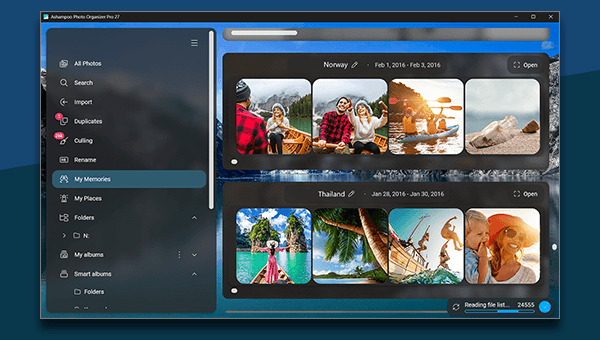
| “My Memories” automatically identifies photos that belong together based on time and location and groups them for a clear overview. This makes it easier to rediscover trips, outings, and other experiences and relive your memories. “My Places” displays your photos on an interactive world map and shows where your memories were made. With a single click, you can open the photos from a location and retrace your travels through your own pictures. |
 |
| Automatically find the top photos |
| Get creative: Photo Commander lets you create stylish collages and elegant cards with the help of numerous included templates. Add nifty frames to your photos and combine images and texts to create greeting cards for holidays, parties, and special occasions. |
 |
| Powerful search |
| Ashampoo Photo Organizer Pro offers an ultra-fast search with extensive criteria such as location, rating, keywords, or camera properties. Set your own ratings and keywords to find your photos instantly in large collections. |
 |
| At last: Neatly organized photo collections! |
| Are your photos inconsistently named with camera codes, dates, or cryptic abbreviations? Use the renaming feature to create a personalized and logical naming scheme and enjoy perfect order in seconds! In a hurry? Use the handy batch processing to add tags or update location data of multiple photos simultaneously, all with just a few clicks. |
 |
| |
Ashampoo® Photo Organizer Pro 27 | You save 76% | Download version | Ashampoo® App required
Release date: October 26, 2026
Operating System: Windows® 11 (x64), Windows® 11 (ARM), Windows® 10 (x64), Windows® 10 (ARM) |
 |