|
English | Español | አማርኛ | 中文 | 한국어 | Tiếng Việt | العربية | فارسی | اردو
Upcoming Events
August 20 - Welcome Walk, 10:00am - 12:00pm
August 21 - Open House 12:00pm - 1:00pm
August 24 - First Day of School
September 4 - No School - Labor Day Break
September 7 - No School - Labor Day Break
September 15 - Back to School Night, 6:00pm-7:30pm
September 21 - No school - Yom Kippur
Welcome Walk - Thursday, August 20 | 10:00am - 12:00pm
Our teachers will visit students in their neighborhoods to personally welcome them to the new school year. This special tradition helps students build excitement, make a personal connection with their teacher, and begin the year feeling seen and supported before they even walk through our doors.
Teachers will send an email and a TalkingPoints message prior to the Welcome Walk event with a welcome and introduction.
Open House - Friday, August 21 12:00pm - 1:00pm
Families are invited to visit Woodburn Elementary to see their child's classroom, meet their teacher (or reconnect!), and become familiar with the learning environment. This is another wonderful opportunity to strengthen the home-school partnership and help students feel confident and ready for the first day of school.
Pre-K Orientation Tuesday August 18, 2026, at 10:00am
Families with incoming Pre-K students are invited to attend our Pre-K Orientation on Tuesday, August 18, 2026, at 10:00am in the school cafeteria.
This orientation is a wonderful opportunity to meet the Pre-K team, learn about classroom routines and expectations, and receive important information to help your child have a successful start to the school year. We look forward to welcoming our newest learners and their families!
Be First-Day Ready
The first day of school, Monday, August 24, is just around the corner! Check out these back-to-school tips to make sure your child gets off to a great start.
Also find out what will be new this school year.
Remember to Complete Consent Forms
Families can easily grant permission for their children to access a variety of school resources through the Parent Digital Consent system. Opt your child in or out of a variety of online educational tools and choose how student information is managed.
Please visit the Parent Digital Consent webpage today to access the system.
Give Your Kids a Strong Start: Apply for Early Childhood Education Programs
FCPS Pre-K and Early Head Start programs provide a high-quality early learning experience for qualifying children ages 6 weeks to 4 years living in Fairfax County with economic and educational risk factors.
- The pre-K program prioritizes 4-year-old applicants but also accepts applications for children who will be 3 years old by September 30.
- Early Head Start is located at three elementary schools — Clearview, Crestwood, and Dogwood — and accepts applications from expectant mothers and parents/guardians of children 6 weeks to 2 years old.
Families are encouraged to apply as soon as possible. However, space is limited and provided based on need, not on a first-come, first-served basis. Applications are accepted online, by email, by postal mail (printable application), or in person at 7423 Camp Alger Avenue, Falls Church, Virginia 22042. If you have a question about the application process or status, please call 703-208-7900 (English) or 703-208-7901 (Spanish).
Kindergarten Registration Process
There’s an easy five-step process for parents wanting to register their child for kindergarten:
- Determine eligibility.
- Identify your local school.
- Gather documents.
- Fill out forms.
- Schedule an appointment (the student and one caregiver must be present).
If your student does live in the Woodburn ES boundary, please fill out the new student registration intake form. This form will be submitted to our school registrar, Jackie Garcia, who will be able to assist you with the new student registration process.
Community Event: Metro Transit Police Department Back-to-School Event
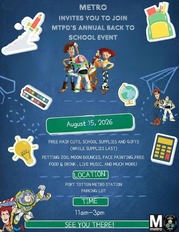
The Metro Transit Police Department (MTPD) is hosting its Annual Back-to-School Event on Saturday, August 15, 2026, from 11:00 a.m.–3:00 p.m. at the Fort Totten Metro Station parking lot.
This free community event will include free haircuts, school supplies, and gifts (while supplies last), as well as a petting zoo, moon bounces, face painting, live music, and free food and drinks. Families are welcome to attend and enjoy the day's activities.
|
|
 |

Join Our PTA Family!
Be a part of something special. Our Parent-Teacher Association is more than meetings and fundraising, it's a chance to connect, support, and make a real impact on your child's school experience. Whether you have little time or a lot, your voice and energy matter. Let's work together to build a stronger, more vibrant school community for our kids and each other! Please click here to join today!
Back-to-School Teacher Appreciation Breakfast – We Need Your Help!
|
As we kick off the new school year, let's show our amazing teachers just how much we appreciate them! We’re hosting a Teacher Appreciation Breakfast on Monday, August 17, and we’d love your help in making it a success. You can sign up here to contribute food items or, if you'd like, make a voluntary contribution to help cover event expenses.
Thank you for your support in making this a memorable start to the school year for our educators!
|

Study Help and Support Available to Students in Schoology
A new Schoology Study and Support Hub is available for students in Schoology. This space was developed by the FCPS Educational Technology Team with input from students. It is designed to provide essential study tools and academic support resources directly to our learners.
Students can log in to Schoology and read their Schoology announcements or watch this video on the support hub for more information.
New Student ID Cards and Bus Navigation System
FCPS is launching a new bus navigation system, which includes student ID cards for students who ride the bus. Students will use the cards to tap on and off the bus, helping FCPS and families know exactly which students are riding which buses.
Learn more about the new system and how it will improve route efficiency, safety, and transparency with families. Check out the frequently asked questions for families.
Explore School Meals in the New Menu Platform
Experience an easier way to view your child’s school menus using MealViewer:
- View what is being served each day.
- View the nutritional information for each meal.
- See if any specific allergens are being served.
- Get notified when your student’s favorite meal is being served.
Printable menus are always available on the Food and Nutrition Services webpage
All Your FCPS Links in One Spot
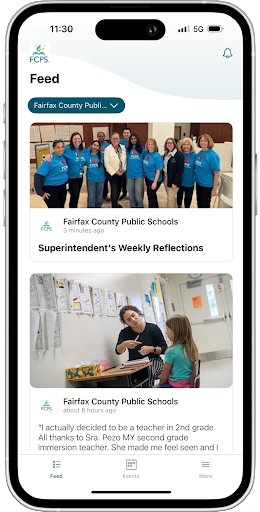
There are a lot of school and FCPS webpages to bookmark, but the FCPS mobile app serves as your central hub!
Check daily meal menus and calendars with no login required, or use one-tap quick links to launch SIS ParentVUE, Schoology, and MySchoolBucks.
Download the FCPS mobile app from the Apple App Store or Google Play Store..
|
|
 |
Building a Brighter Future, Together: FCPS Family Academy
The FCPS Family Academy is where families can learn and get support for their child’s school journey.
We know that parents and caregivers are critically important in their child’s education. The Family Academy lists classes, webinars, workshops, and programs offered by FCPS to help you support your child's needs and learning at home. The Family Academy also includes information about resources available to help every family ensure their child has what they need to succeed.
Visit the Family Academy webpage. Check out its catalog for upcoming classes, workshops, and webinars to help families learn about FCPS, parenting, early literacy, and how to partner with schools.
Follow FCPS on WhatsApp
Is WhatsApp one of the ways you stay connected with family, friends, and your community? Now you can use it to stay connected with FCPS, too.
Follow the new FCPS WhatsApp Channel for helpful information and reminders throughout the school year, including important announcements, upcoming dates, tips for families, and more.
New ParentVUE Mobile App
On Tuesday, July 28, a new ParentVUE mobile app became available in the Apple and Google app stores. This new app provides parents and caregivers with a more secure sign-in. The current “classic” app will remain active for about six months. Families must download the new app by December 2026 to ensure they have continued mobile access to their child’s school data.
In the new app, families can enroll in multi-factor authentication (MFA) for FCPS Single Sign-On. While enrollment is optional, we strongly recommend that everyone enable this security feature.
Learn more about installing the new ParentVUE app. Parents needing assistance should submit a Parent Support Request.
New Student Device Requirement
Starting this school year, students may only use FCPS-issued devices for school-related digital activities during the instructional day. This is in accordance with a new School Board requirement, approved on July 16, which states that students may not use personal electronic communication or computing devices, including personal laptops, tablets, smartwatches, smartphones, and similar devices.
Students may only use a personal device if it is required as part of a necessary accommodation in the students’ Individualized Education Program (IEP) or Section 504 Plan. A principal or the principal’s designee may approve a limited, course-specific exception for students enrolled in a specialized class when the curriculum requires a technology tool or software that isn’t available on a standard FCPS-issued device.
Families can help support this requirement by reminding students to bring their FCPS-issued device each day and use it for all school-related digital activities unless an approved exception applies.

FCPS News
In case you missed it in FCPS This Week, the school division shared updates on the following topics:
- New Student Device Requirements
- Math Textbooks
- Football Game Safety Measures
Read FCPS This Week to learn more about these topics. If you are not already receiving this weekly newsletter, please |